



Menginstal aplikasi
Instal situs organisasi Anda sebagai aplikasi di ponsel Anda, aktifkan notifikasi push, dan pilih bahasa antarmuka.
Menginstal aplikasi di ponsel / tablet Anda
Aplikasi organisasi Anda diinstal langsung dari peramban, dengan nama dan logo organisasi di layar utama Anda. Kami tidak menyediakan aplikasi di Play Store milik Google maupun App Store milik Apple.
- Buka situs organisasi Anda dari peramban di ponsel Anda.
- Sebuah banner instalasi akan muncul di bagian atas atau bawah layar: ketuk PASANG.
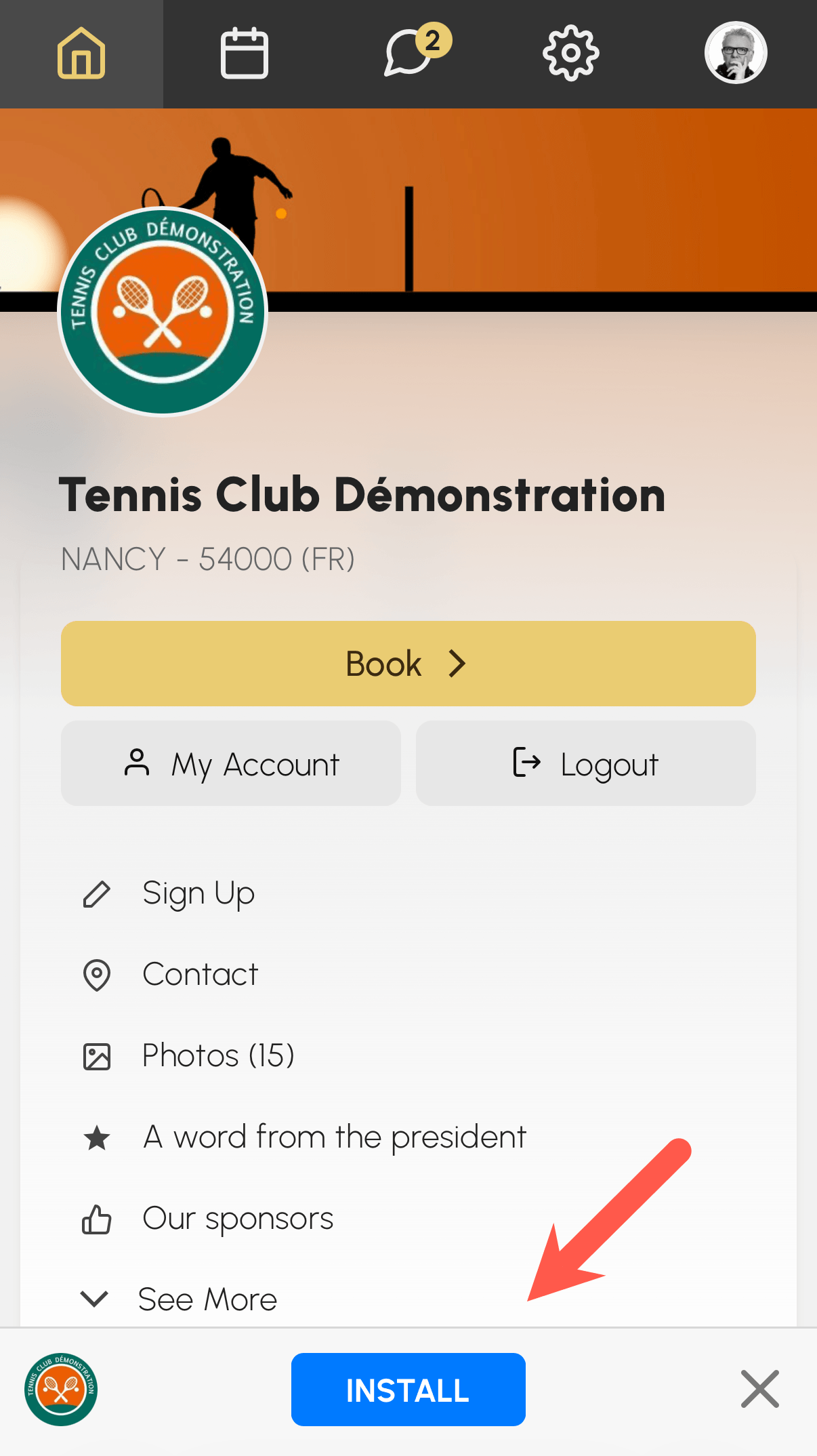
Pada iPhone dan iPad (Safari), ikuti petunjuk yang ditampilkan: ketuk ikon bagikan lalu ketuk « Tambahkan ke Layar Utama ».
Setelah diinstal, aplikasi terbuka dalam layar penuh seperti aplikasi lain di ponsel Anda, dan Anda dapat mengaktifkan notifikasi push.
Mengaktifkan notifikasi push
Notifikasi push ditampilkan di layar kunci perangkat Anda, bahkan saat aplikasi tertutup.
- Buka Akun saya›Notifikasi, tab Push.
- Ikuti bagian Aktifkan notifikasi push pada perangkat ini.
- Izinkan notifikasi saat peramban Anda meminta persetujuan.
- Kemudian pilih peristiwa yang memicu notifikasi (konfirmasi, pengingat booking, pesan...).
Jika notifikasi diblokir, izinkan notifikasi tersebut pada pengaturan peramban Anda, lalu ulangi langkah-langkahnya.
