



Activate Wallet mode
In Wallet mode, 1 credit is worth €1 (or one unit of your currency), so your subscribers see their prices and balance directly in money. A subscription whose credit is worth a different amount switches over in a single operation. This operation converts balances, prices, credit offers and upcoming bookings that are already paid. Nobody gains or loses anything.
Understand Wallet mode
Many organizations started with a credit worth several euros. Take the Freedom Subscription, whose credit sells for €10. A one-hour padel booking at €12.50 has to be set at 1.25 credits. The subscriber who books sees "1.25 credits" without knowing what the booking really costs. In Wallet mode, the same hour costs 12.50 credits, and the subscriber sees €12.50.
Changing the Unit price of one credit from €10 to €1 would not be enough. Balances and prices would still be counted in the old unit, and a credit bought for €10 would only be worth €1. Wallet mode converts everything at once, and the selling price of a credit becomes €1.
The subscriptions you create are in Wallet mode from the start. The conversion only applies to older subscriptions whose credit is worth a different amount.
See the difference for your subscribers
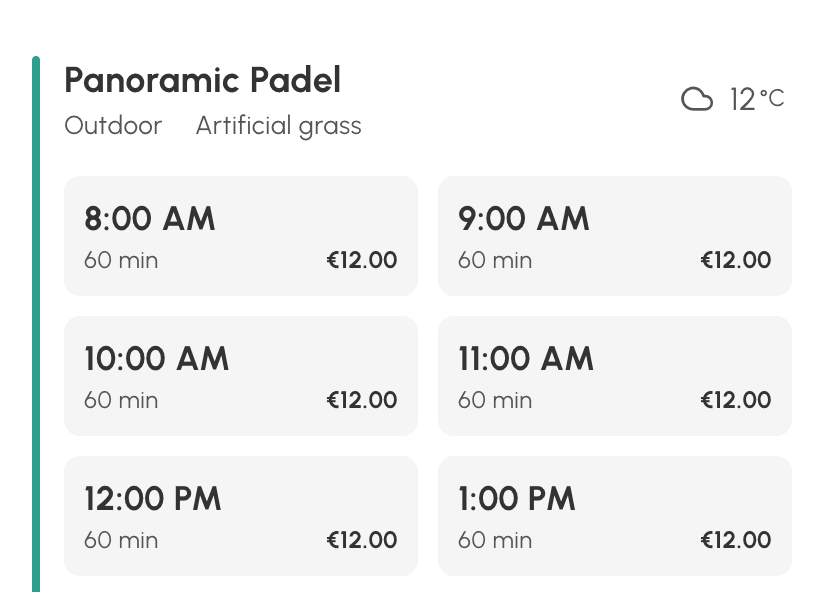
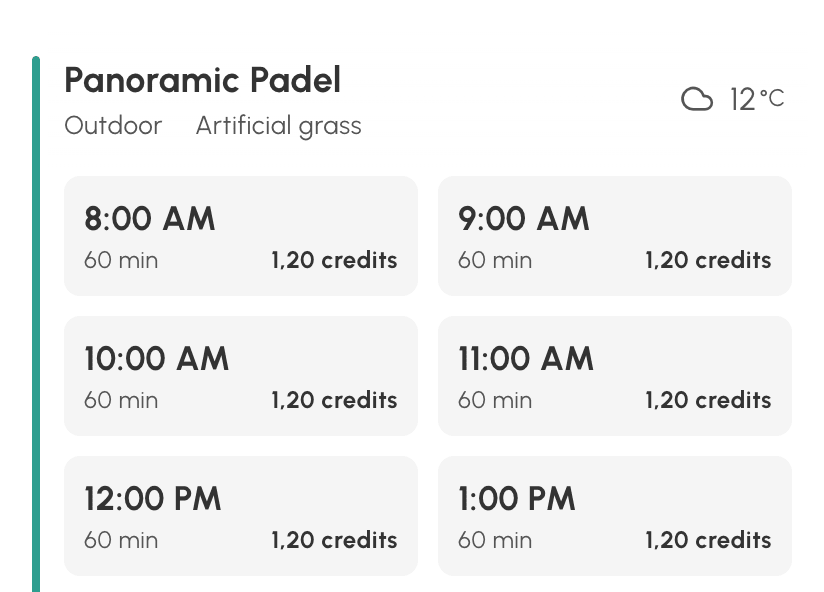
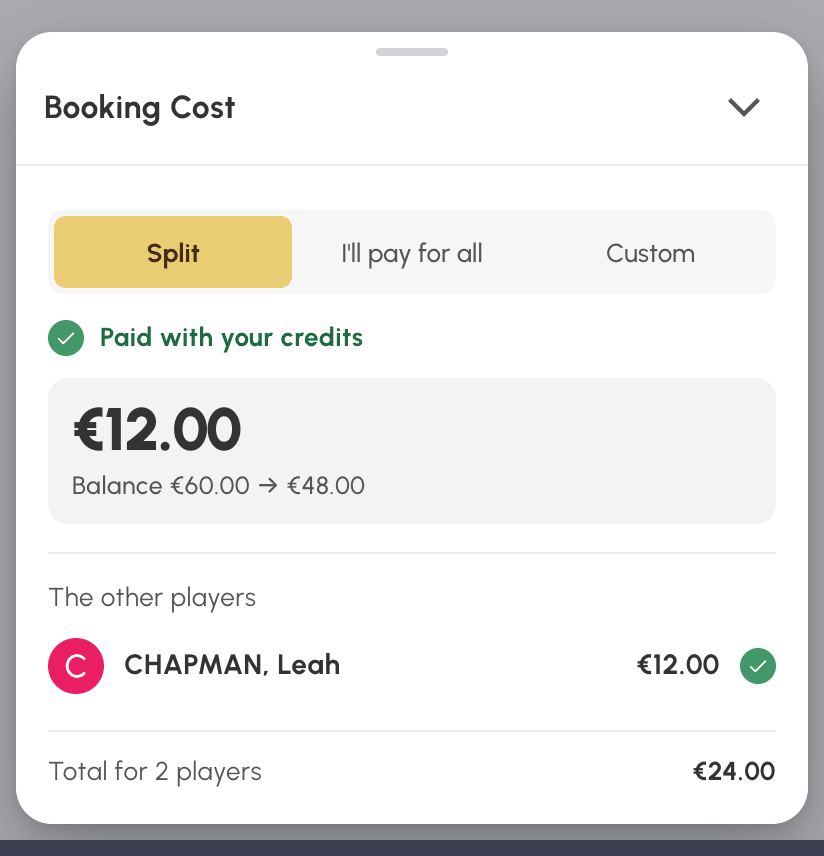
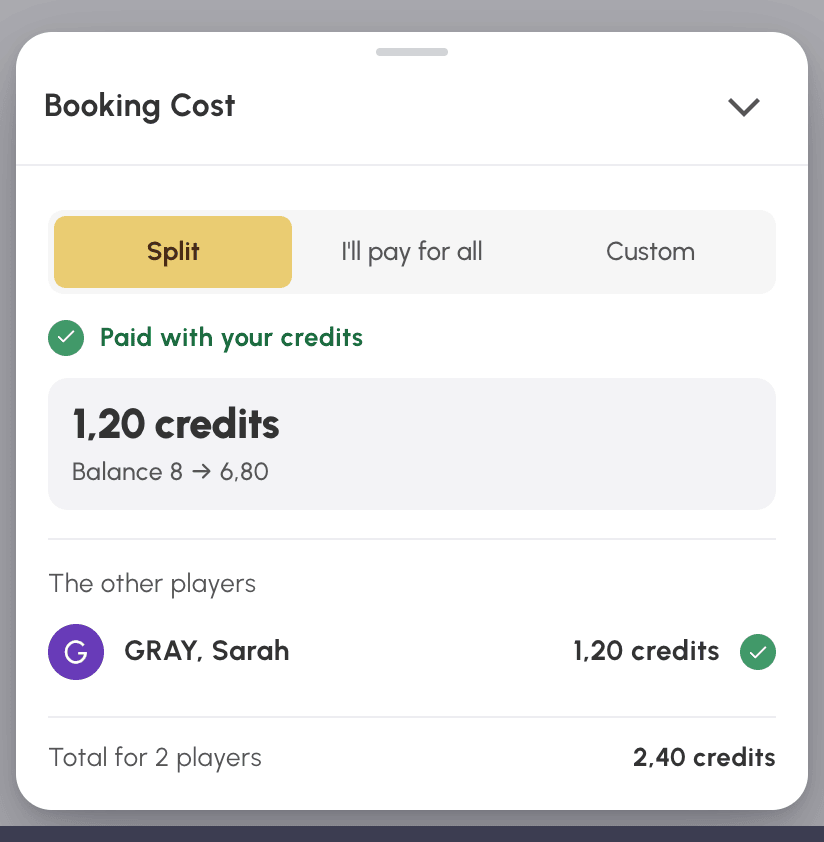
Take a one-hour padel booking at €12. In Wallet mode, the subscriber sees €12.00 wherever a price or balance appears. Without Wallet mode, with a credit sold for €10, they see 1.20 credits and have to do the maths themselves.
In the list of available time slots
In the Availability view, each available time slot shows its price next to its duration.
| With Wallet mode | Without Wallet mode |
|---|---|
 |  |
In the booking menu
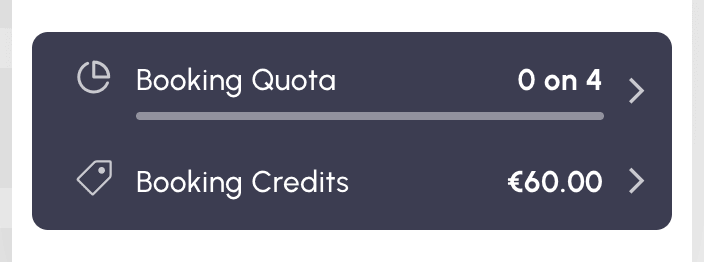
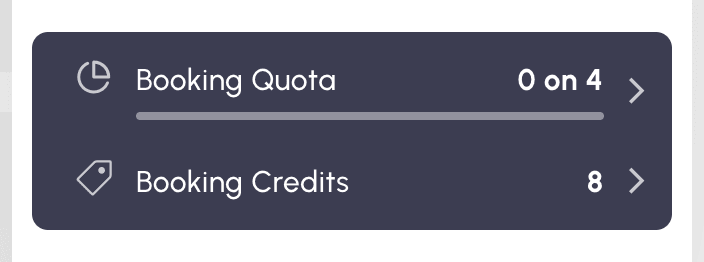
The Booking menu in the navigation bar shows the credit balance below the quota, in the same unit as the prices.
| With Wallet mode | Without Wallet mode |
|---|---|
 |  |
When booking
In the Booking Cost panel, each player's share, the total and the balance after the booking are shown directly in money.
| With Wallet mode | Without Wallet mode |
|---|---|
 |  |
Understand what the conversion changes
For the Freedom Subscription, every number of credits is multiplied by 10, and every amount in euros stays the same:
| What is converted | At €10 per credit | In Wallet mode |
|---|---|---|
| A subscriber's balance | 7 credits, i.e. €70 | 70 credits, i.e. €70 |
| Price of a one-hour padel booking | 1.25 credits | 12.50 credits |
| Credits given on account creation | 2 credits | 20 credits |
| Upcoming booking already paid | 1.25 credits paid | 12.50 credits returned if cancelled |
| Credit offer at €95 | 10 credits | 100 credits, still at €95 |
| Unit price of one credit | €10 | €1 |
A credit worth less than one euro is converted the same way, in the opposite direction. At €0.50 per credit, a balance of 30 credits becomes 15, still worth €15.
The credits given after online registration are also converted, as are the guest pass prices in the Guest Passes tab. With the Unified credit system, guest passes are paid with booking credits. The panel then only appears in the Credits tab, and guest pass prices are converted along with it.
Credits are then displayed in currency, with Display credits in currency enabled. Each converted balance carries the entry "Credit value change" in the user's history. Credit purchases at the old price left in a cart in progress are removed from it. When the conversion rounds values, the panel tells you: prices to the hundredth of a credit, given credits to the unit.
Adjust what is not converted
Two settings apply to your whole organization rather than to a subscription: the credits given by the automatic birthday message, and the credit price of participatory bookings. They stay as they are. After the Freedom Subscription is converted, a 2-credit birthday gift is only worth €2 to its subscribers. Once all the relevant subscriptions have switched to Wallet mode, raise this gift to 20 credits. Likewise, multiply by 10 the price of participatory bookings paid in credits.
Activate Wallet mode
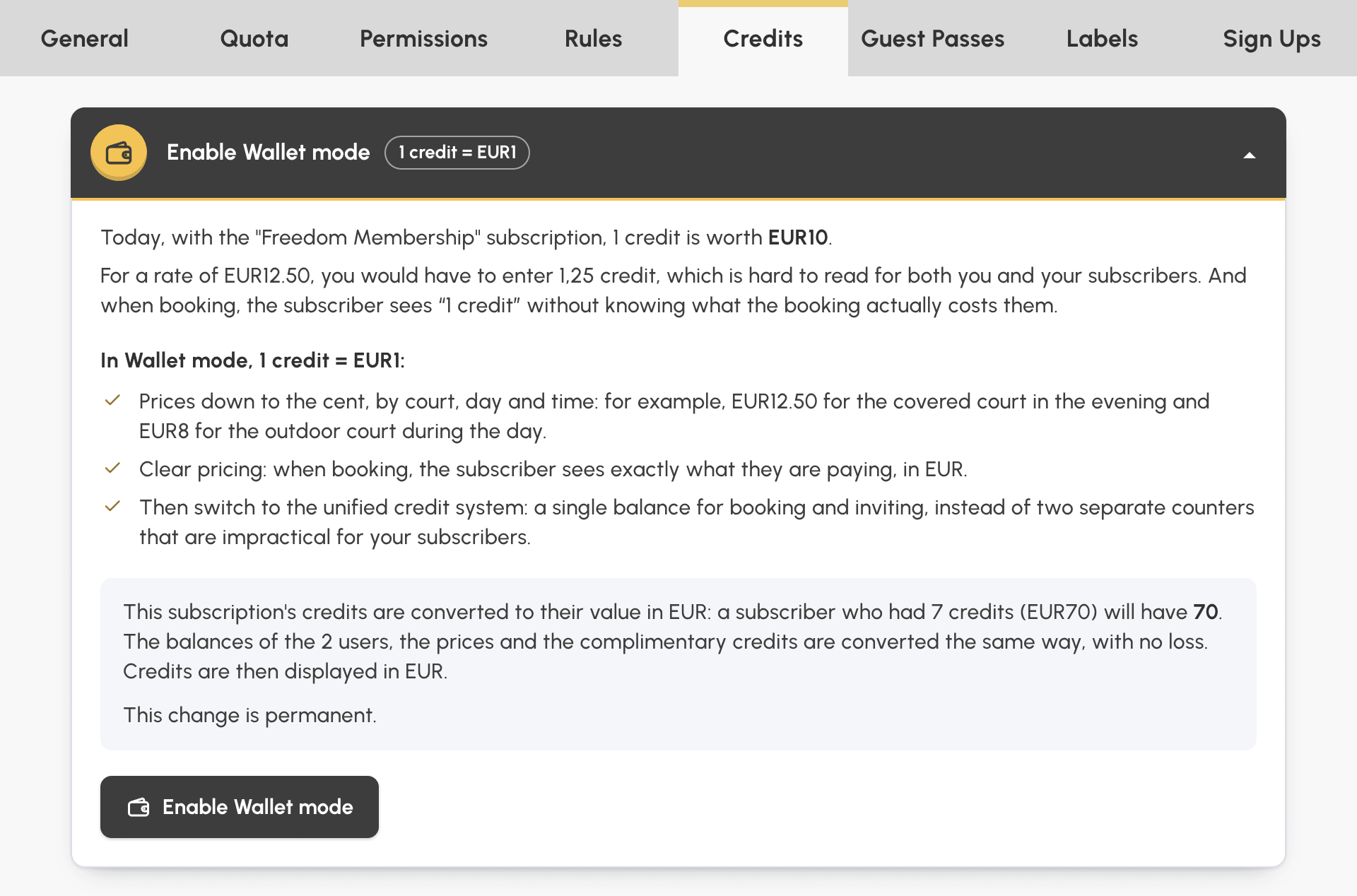
As long as a subscription is not at 1 credit = €1, the Enable Wallet mode panel is displayed collapsed at the top of its Credits and Guest Passes tabs. Each tab is converted separately: booking credits on one side, guest credits on the other.
- Go to Administration›Users›Access Rights›Subscriptions, open the subscription, then open the relevant tab.
- Click the Enable Wallet mode header to expand the panel. It shows what a credit is worth today and summarizes what will change, with the number of users and bookings affected.
- If the subscription does not sell its credits online, enter what a credit is worth today, in your currency.
- Click the Enable Wallet mode button. The form is saved first, then a confirmation window details the conversion.
- Confirm. The conversion is carried out immediately, and a message summarizes the result.
If you cancel the confirmation, the subscription remains saved, without conversion.
Respond to a refused conversion
When the conversion is refused, nothing is changed and the panel remains available. The message gives the reason:
- a credit order from a user of the subscription is awaiting payment: collect or cancel it, then try again. The panel warns you about this even before you click;
- a booking from a user of the subscription is awaiting payment: try again a few minutes later, once the payment has been received or the time limit has passed;
- another operation on your organization's credits is in progress, for example a bulk action: try again in a few minutes;
- once multiplied, a setting would exceed its maximum value, for example a Quantity Pricing of the credit offer or the credits given on account creation: the message names the setting. Reduce it, then try again;
- when the credit is worth less than one euro, the conversion divides the quantities of the credit offer, and any tier reduced to 1 credit or less disappears. If none remain and the offer is not in Free Quantity, nobody could buy credits any more: enable Free Quantity or add a larger tier, then try again.
