



Inviting someone from outside the organization
Bring along someone close to you who is not registered with the organization. Add them as a guest when you make your booking, within the rules set by your organization.
Adding a guest to a booking
There are two ways to invite someone from outside, depending on whether you are playing only with your guests or also with other users from the organization.
Playing with your guests
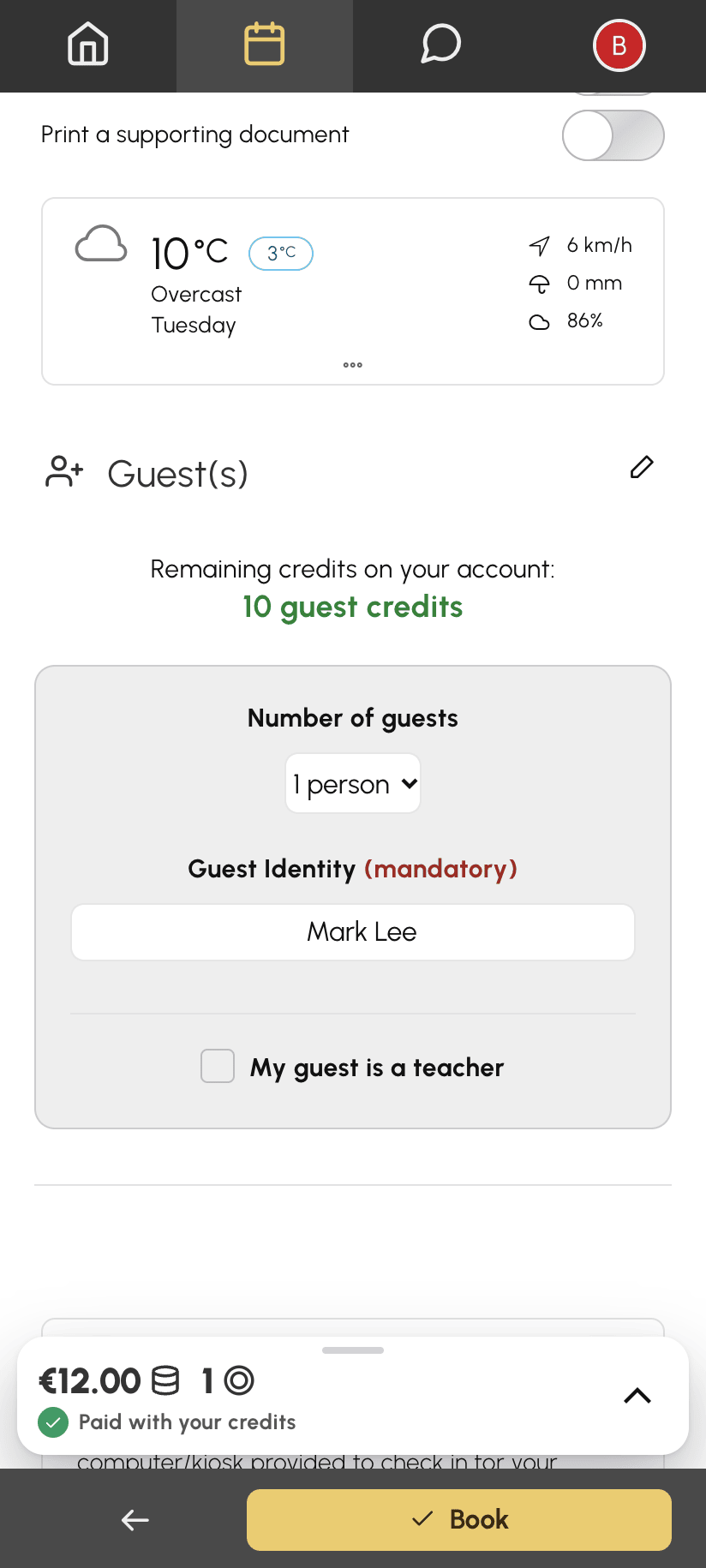
- Click a free time slot to open the booking form.
- Choose Guest(s).
- Select the number of guests.
- Enter the guests' details if requested. Depending on your organization's configuration, this is optional or mandatory.
- Confirm with Book.
Playing with partners and guests
- Open the booking form and choose With a partner.
- Select your partners in the list of users.
- A Guest(s) line then appears at the top of the list. Select it.
- Select the number of guests and enter their details if requested.
- Confirm with Book.
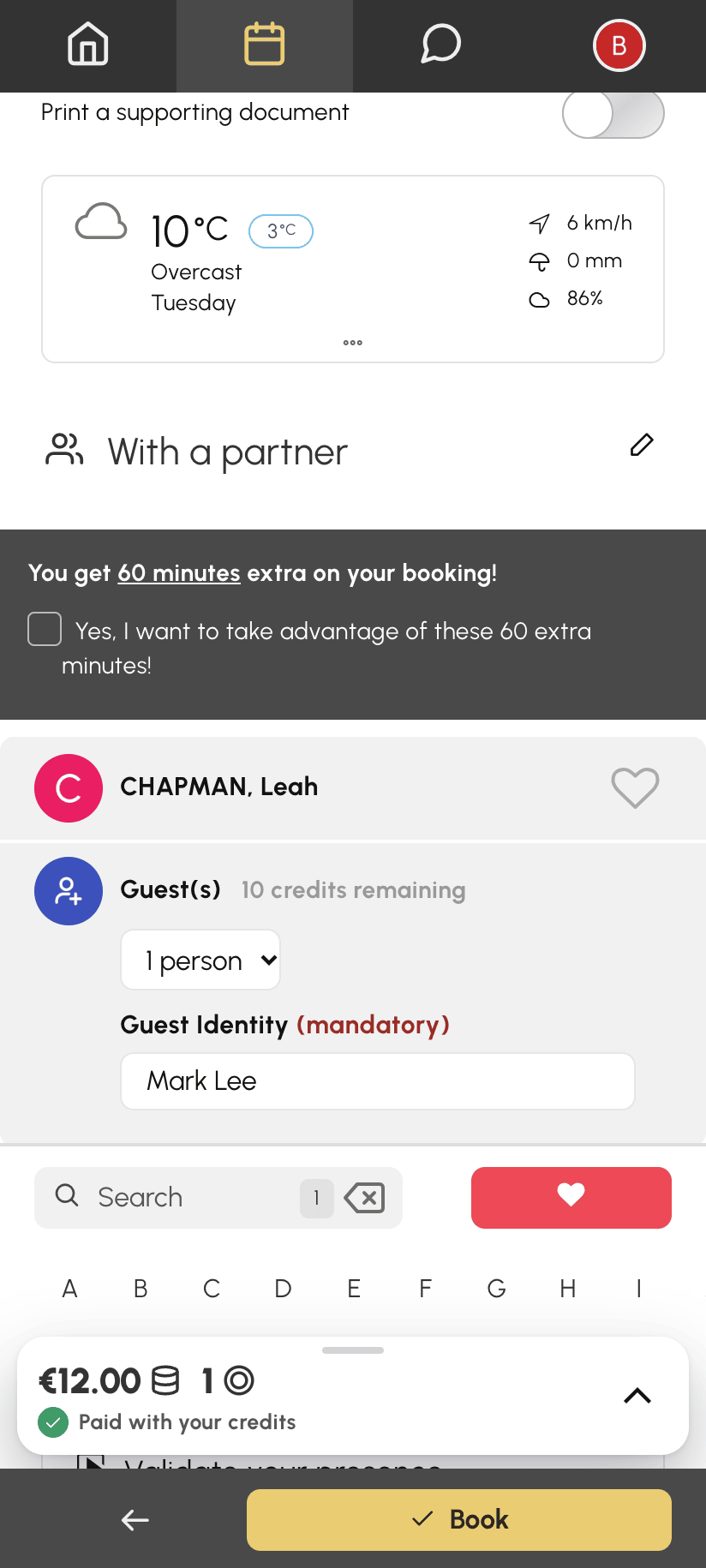
Some organizations do not offer a separate Guest(s) option. In that case, the guest line is always shown at the top of the With a partner list.
Understanding the cost of a guest pass
Depending on your organization's configuration, guest passes may be charged:
- they are deducted from a guest credit balance, separate from your booking credits;
- some organizations deduct your booking credits directly instead;
- the price may vary depending on the calendar, the day or the time of the time slot.
The remaining balance is shown in the form when you book. The Booking Cost box details what will be deducted. Depending on the configuration, either only the booking owner is charged for the guests, or each participating player is charged for all the guest passes in the booking. For example, Nicolas and Léa are playing with a guest at €5: if only the booking owner is charged, Nicolas pays €5; otherwise, Nicolas and Léa each pay €5.
If your subscription allows it, you can also pay for your partners' guest passes when you book. In the example, Nicolas would then pay €10, and Léa nothing.
Getting guest credits
If the organization has enabled this feature, a Purchase credits button is available directly in the booking form. Otherwise, contact the organization to get additional credits.
Your organization may also let you pay for any missing guest credits when you book. They are included in the amount shown on the Book button.
Knowing the limits set by your organization
Your organization can:
- cap the number of guests per booking;
- limit the number of guest passes over a given period;
- prohibit guest passes on certain calendars, days or time ranges. A message in the form then lets you know;
- restrict cancellation of a booking with guests to certain cases.
