



Find a playing partner
Find players at your level: join the organization's WhatsApp groups, post an advert, browse the directory or open your bookings to other users.
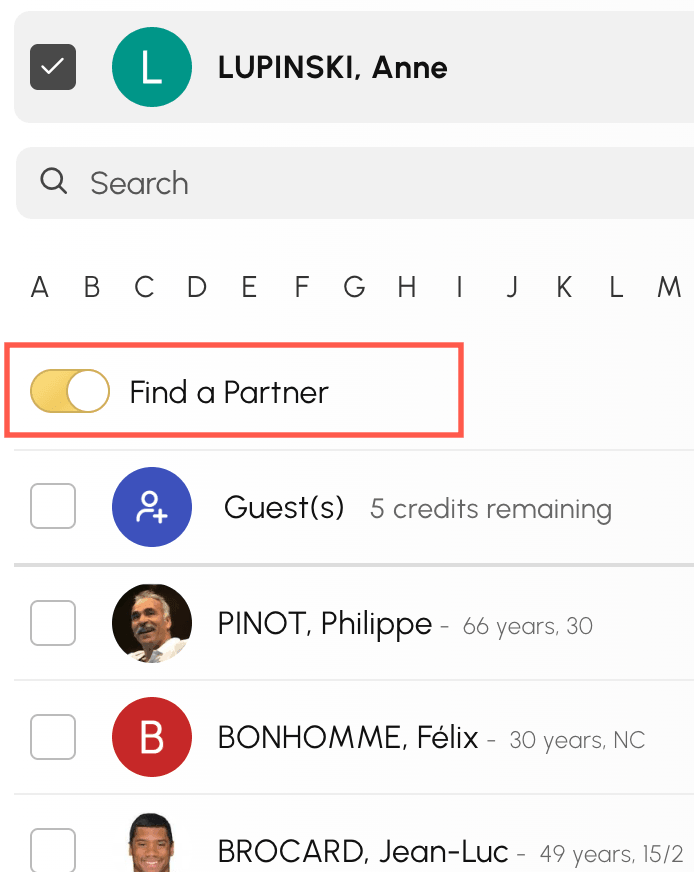
Open a booking to other players
When you make a booking, the Find a Partner option opens your time slot to other users: they can join it directly, up to the permitted number of participants.
Join a WhatsApp group
Your organization may run WhatsApp groups, by level or by sport for example. Those that concern you appear at the top of the Find a Partner page, and sometimes on the organization's home page.
- Open Find a Partner from the booking menu
- Browse the groups on offer, then click Join on WhatsApp.
- WhatsApp opens on the group invitation: confirm to join it.

Your membership is then managed in WhatsApp: that is where you leave the group.
Post an advert
- Open Find a Partner from the booking menu
- Click Add an Announcement.
- Enter the level you are looking for, your preferred days and times, and introduce yourself in a few words.
- Choose how you want to be contacted: through the internal messaging, and by telephone if you wish.
- Confirm with Save.

Your advert is visible to the other users of the organization. You can update it at any time with Edit My Listing: the form also offers Delete my listing to remove it.

Browse the organization's directory
If your organization has enabled it, the Club Member Directory lists the users who have agreed to appear in it. Search for a player by surname, first name, ranking or year of birth, then contact them through the internal messaging.

Control your visibility
Everyone chooses what they share. In My Account›Privacy, you can in particular:
- choose between Appear in the directory and Do not appear in the directory;
- define who can book with you (all users, an allowed list, a blocked list or nobody);
- define who can send you a message;
- hide your identity or your photo on the calendars.
The Privacy Settings button in the directory leads straight to these settings.
