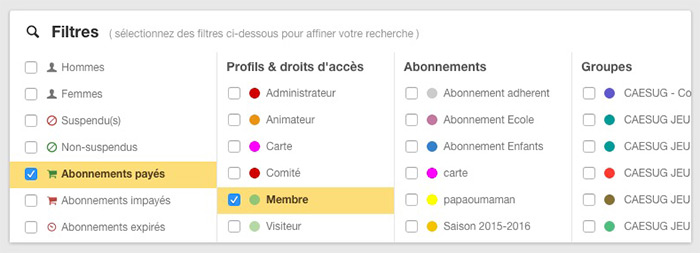
We have completely revised the presentation of the " filters" in the"Administration > Users > User management" module. Until now, they were accessible below the search field. Now they are integrated below the dashboard(in the right part of the page) with a more practical and readable presentation in columns.
Clicking on a filter will automatically update the list of users on the left side of the page. Of course it is always possible to combine several filters.
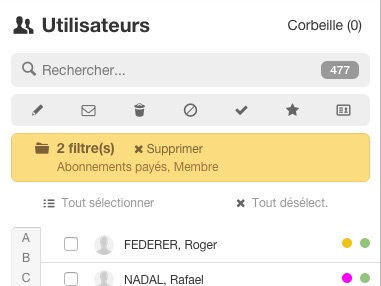
When filters are selected, an orange banner appears above the list of users. move the mouse over this banner to display the list of active filters and click on the "Delete" button to deselect all filters:
The BalleJaune / OpenResa team at your service!