We have added a new option in your administration area to better control the information your users can modify.
From now on, you can precisely define the fields allowed for modification by the user from their personal area, menu My Account > Settings > My Personal Information.
To configure this feature, go to the menu:
Administration > Users > User Management
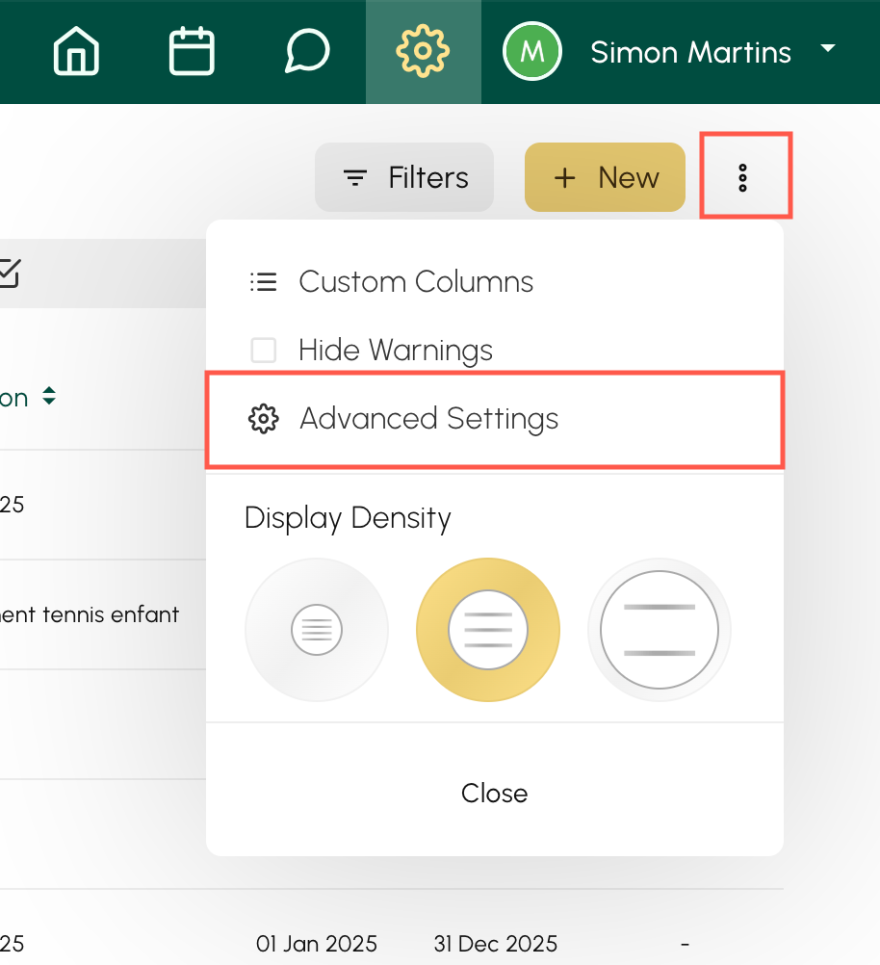
then click on the three small dots located to the right of the New button and access Advanced Settings :
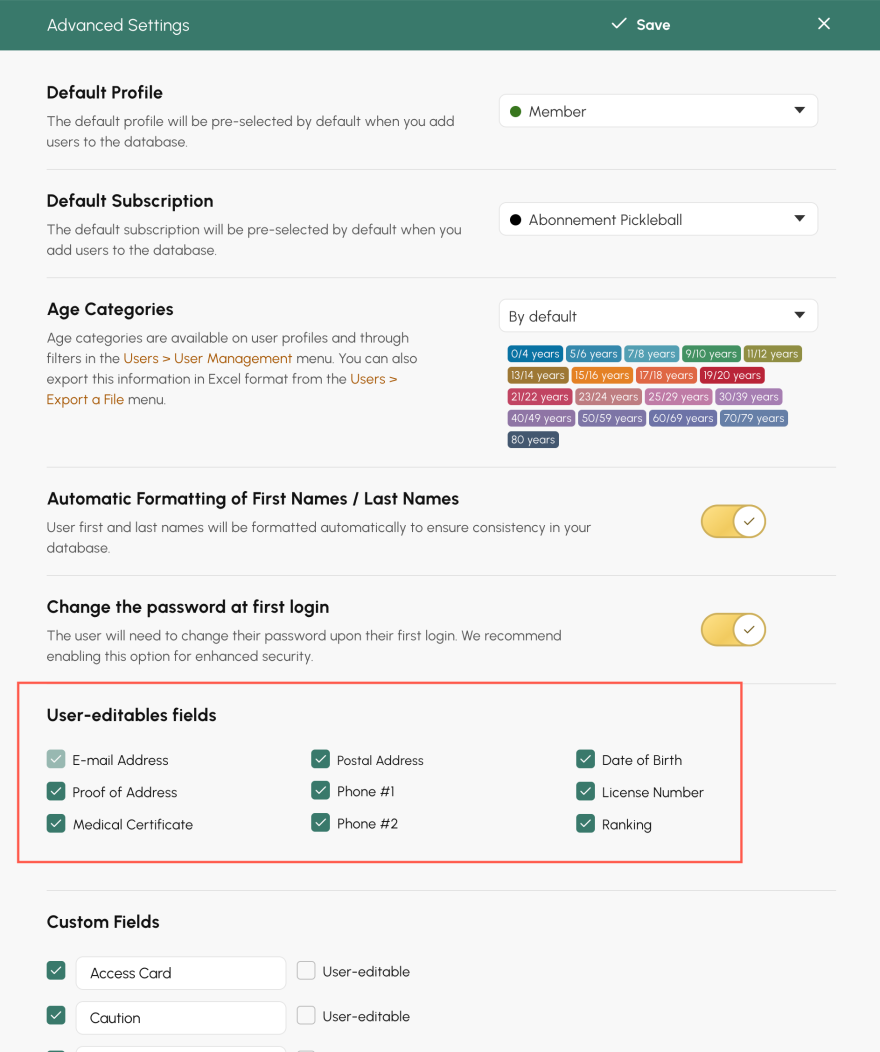
There you will find a new section titled User-editables fields. Simply check the information you want to make editable (address, phone number, etc.).
The OpenResa team at your service.