At the request of many clubs, you can now allow members to book with a member AND a guest in the same slot. Until now, members could either book with another member or book with a guest, they could not do both at the same time.
In order for a member to book with a member AND a guest on the same slot, you must allow booking with 2 or 3 partners and invitations must be enabled in the subscription configuration.
Go to Administration > Users > Subscriptions, then in the section"Reservation rights". Adjust the setting"He can book by selecting up to N partner(s)" as shown in the image below.
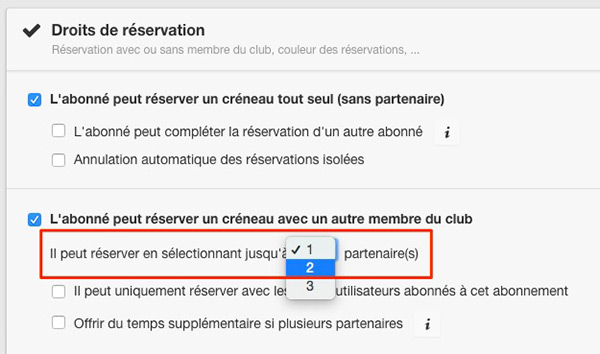
Legendsubscription configuration, section "Reservation rights".
After clicking on a free slot, the member will then select a first member as a partner and will see a "Guest(s)" line presented in the same way as on the reservation form proposed to administrators.

Legendafter selecting a first member as a partner, the line "Guest(s)" appears.
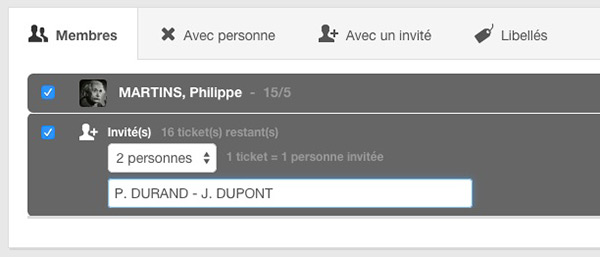
Legendafter selecting the "Guest(s)" line
The BalleJaune / OpenResa team is always at your service!