At the request of many clubs, you can now set up multiple reservation quotas on a subscription! Each quota is then accompanied by several criteria :
For example, you can now configure the following examples:
To configure the "detailed" quotas, go to Administration > Users > Subscriptions, then click on the"Reservation quota" section:
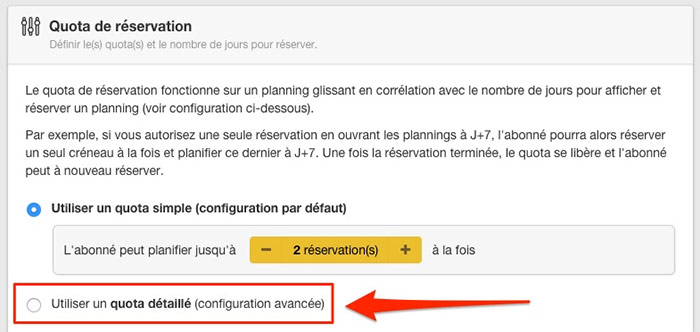
Select the " Use a detailed quota (advanced configuration)", you will then be able to add several different quotas:
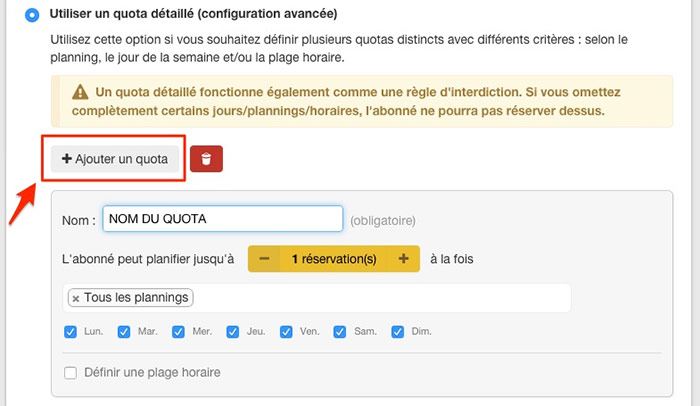
There are dozens of possibilities, it's up to you to adapt the configuration to suit your needs!
Example 1the member can book up to2 morning slotsand onlyone afternoon/evening slot.
|
Configuration of the subscription : |
Result : |
|
|
|
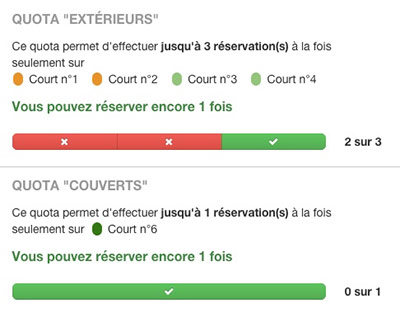
Example 2indoor courts: the member can reserve up to 3 slots on the outdoor courts and only one slot on the indoor court.
|
Configuration of the subscription : |
Result: |
|
|
|
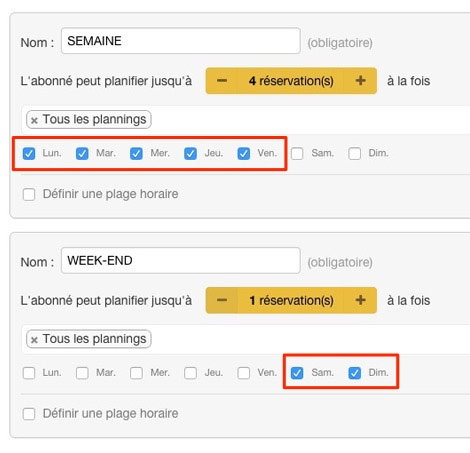
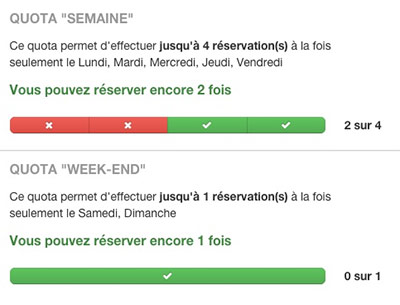
Example 3weekday (Mon-Fri): the member can reserve up to 4 slots on weekdays (Mon-Fri) and only 1 slot on weekends (Sat-Sun).
|
Configuration of the subscription : |
Result: |
|
|
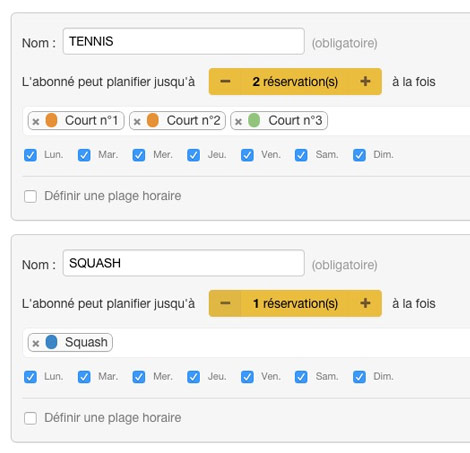
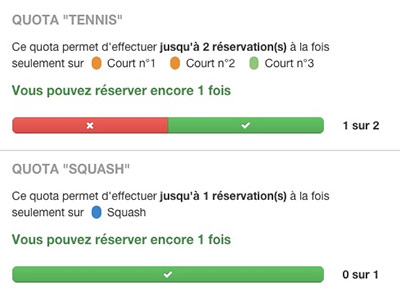
Example 4tennis courts : the member can reserve up to 2 slots on the tennis courts and only 1 slot on the squash court.
|
Configuration of the subscription : |
Result: |
|
|
Please feel free to contact technical support if you need assistance,
The BalleJaune/OpenResa team is here to help you!