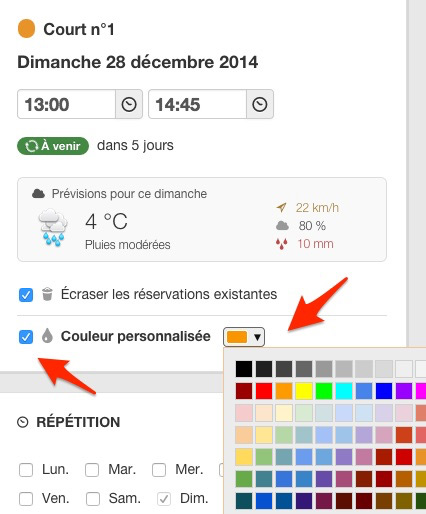
On the old version of BalleJaune, it was possible to customize the colors of a reservation directly from the reservation form.
At the request of many clubs, we wanted to reinstate this possibility. The club managers can now once again customize the color of a reservation (member or label).
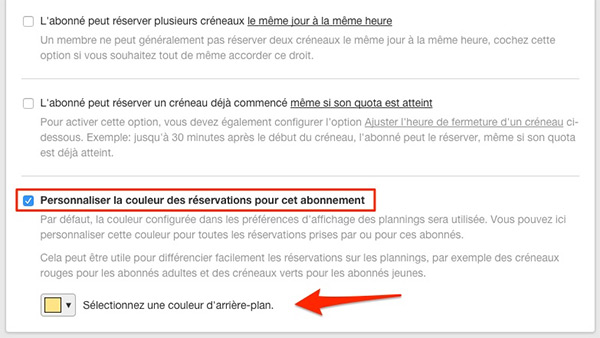
It is now also possible to define a custom color in the configuration of each subscription blue slots for"adult" subscribers and red slots for"youth" subscribers.
Go to Administration > Users > Subscriptions (section "Quota and reservation rights")to define a custom color for the subscription(s) of your choice:
In Administration > Schedules > Predefined labels, you no longer need to configure the label text color. Choose a background color and BalleJaune will calculate the text color to ensure good readability.
The BalleJaune/OpenResa team remains at your disposal and wishes you a happy holiday season.