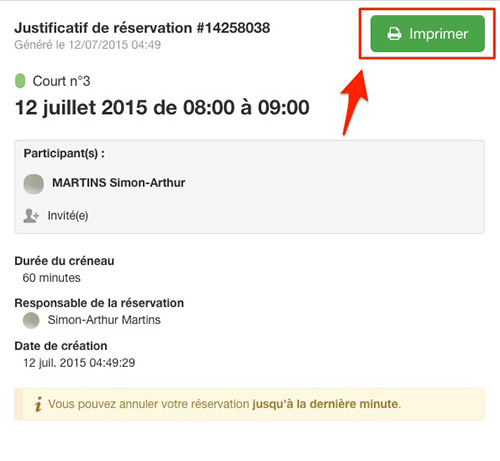
At the request of many clubs, you can now print a reservation receipt as a member. This receipt is simply a document containing the details of your reservation and specially formatted for printing. Here is an example:
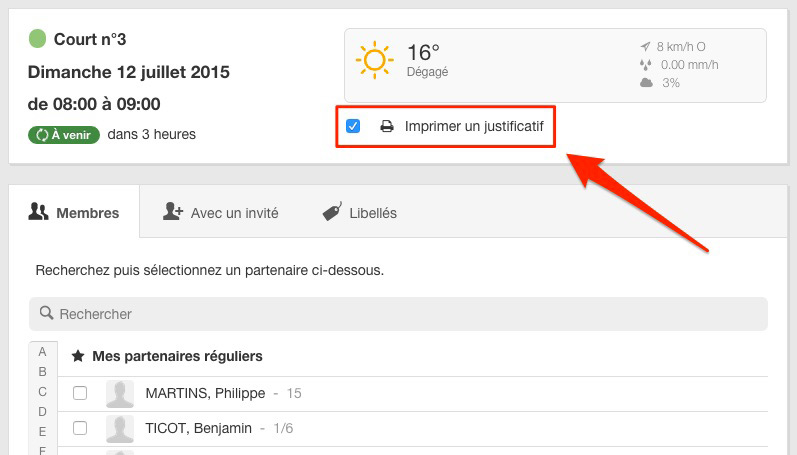
You have a new option to check on the reservation form. By checking this option, the receipt to be printed will automatically open in a small window after you have validated your reservation.
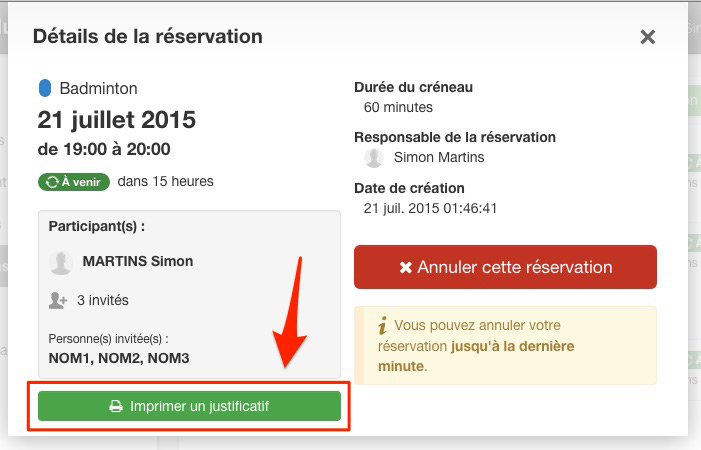
You can also click on your reservation in the schedules. A new green button is available to open the receipt in a small window.

Finally, you can also obtain this receipt in the menu "My account > My reservations" then by clicking on the desired reservation in the list.
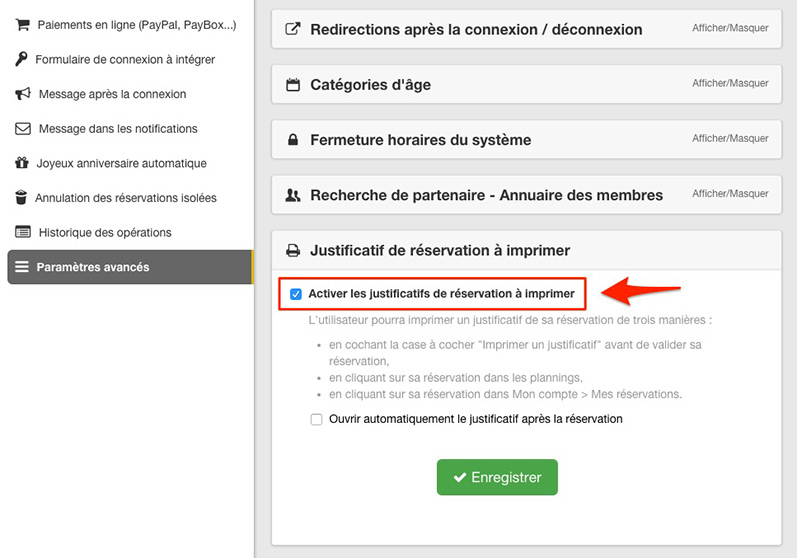
You don't want to offer this new feature to your club members? Go to Administration > Club settings > Advanced settings. There you will find a new option, checked by default, that you can uncheck to disable the feature entirely.
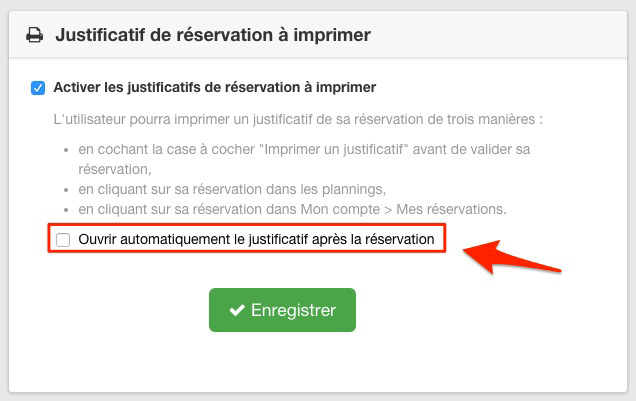
A new option is available for members to check on the reservation form to have a receipt automatically printed when the reservation is confirmed. This option is unchecked by default, it is up to the member to check the option if they want to print a receipt immediately after their reservation.
As a club manager you can check this option by default, go to Administration > Club Setup > Advanced Settings.
The BalleJaune / OpenResa team is at your disposal!