List your WhatsApp groups in OpenResa: each user finds the ones meant for them on the Find a Partner page and on your home page, then joins in one click with Join on WhatsApp.
Until now, an invitation link was passed from hand to hand, by e-mail or at the front desk, and you had to sort out yourself who could join which group. Now you state once who each group is for, and OpenResa offers it to the right users.
The full step-by-step guide is in the documentation: Offer your organization's WhatsApp groups.
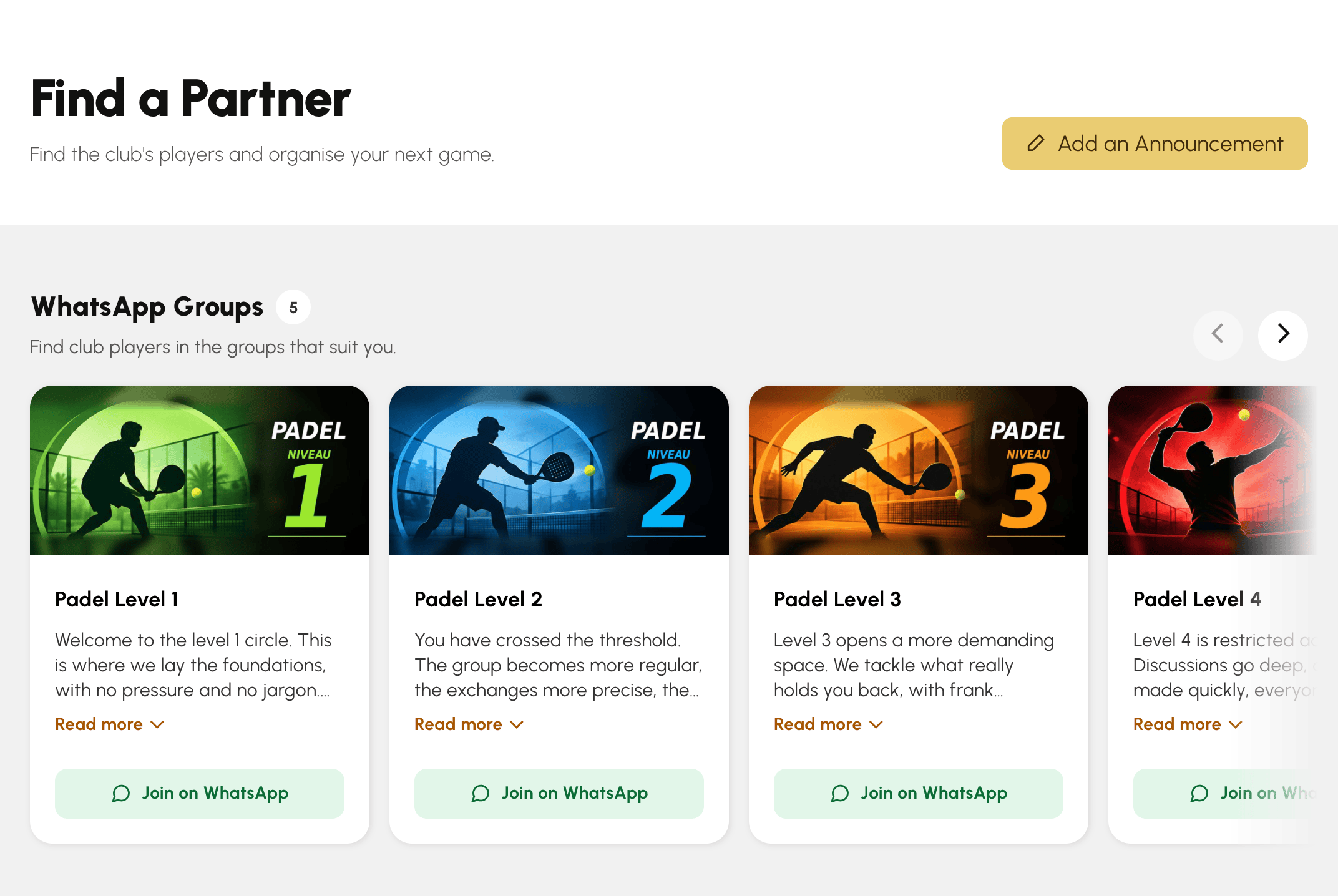
This is the most direct use: one group per level, where players arrange to meet for a game. A player looking for a partner opens Find a Partner and finds, at the top of the page, the groups that suit them, alongside the ads and the directory.
Each group is reserved for part of your users, with the same filters as the user list: subscription, profile, group, age category, ranking. The Padel Level 1 group can thus be shown only to players with the Padel Membership subscription, and a youth group only to one age category. A counter shows you live how many users will see it.
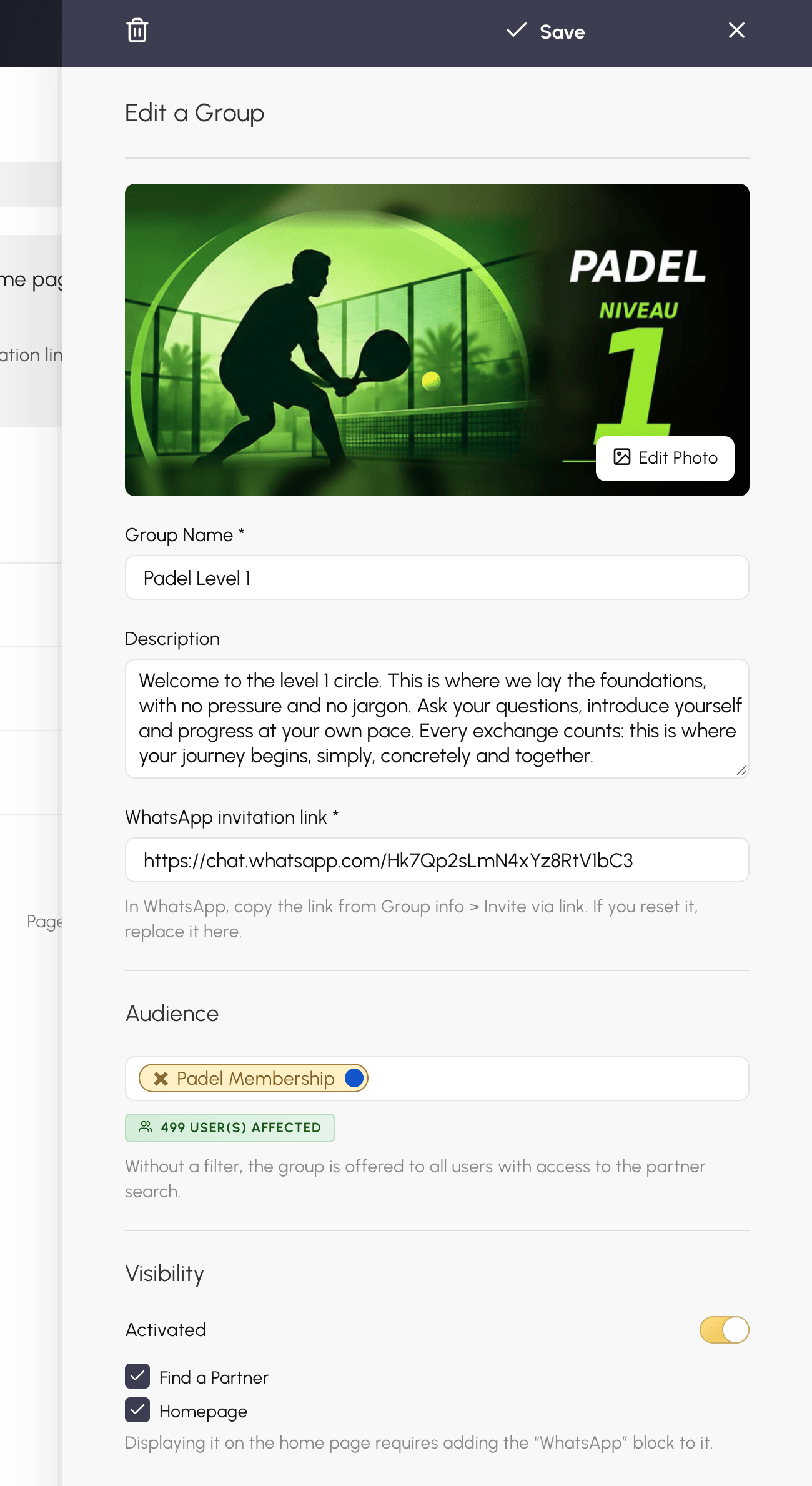
WhatsApp groups are not only for finding a partner. A general group, for club life, tournaments or social evenings, is created the same way: with no filter, it is offered to all your users who have access to the partner search.
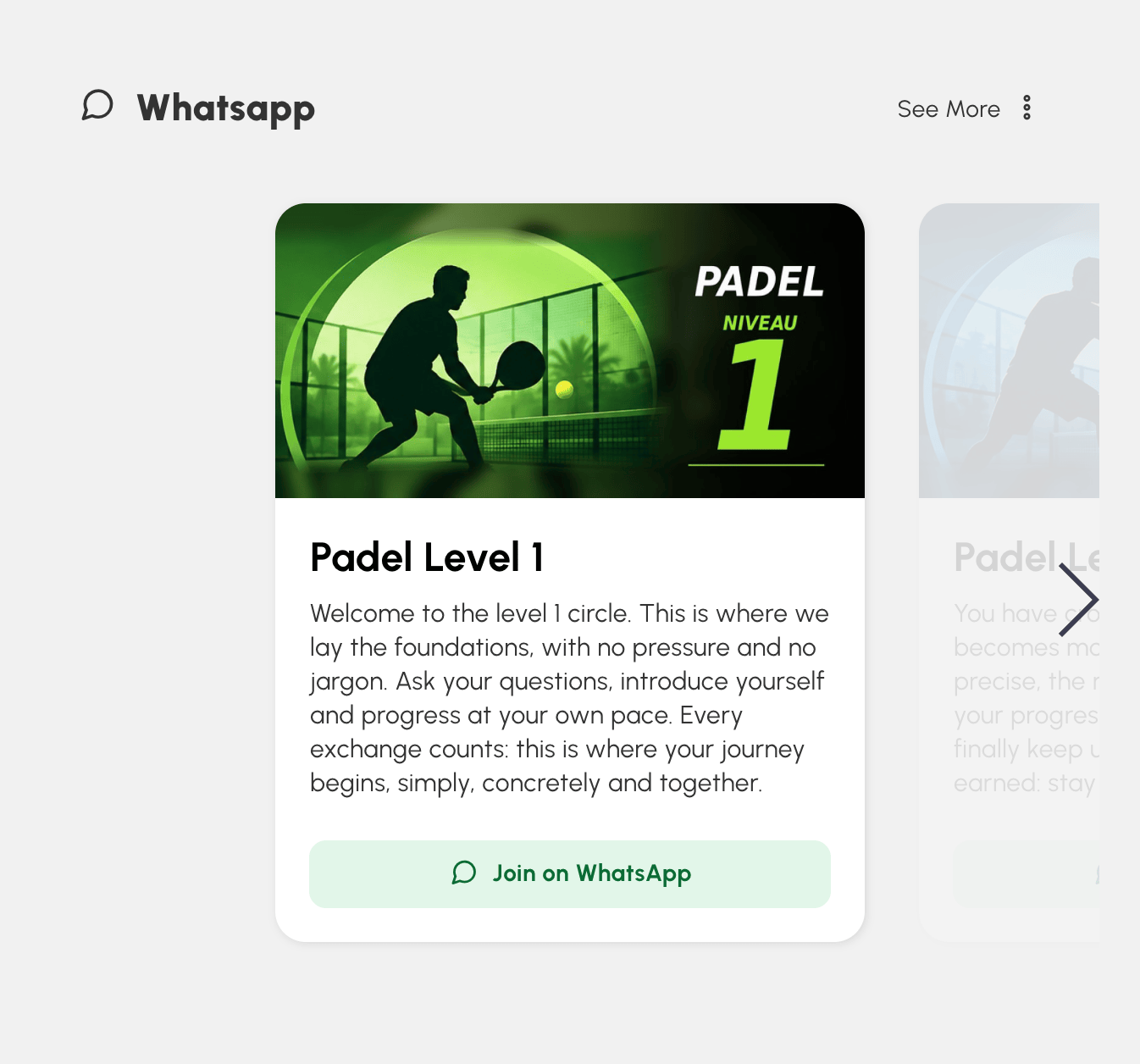
Add the WhatsApp block to your home page to feature it as soon as users log in. Each user only sees the groups meant for them there, and the block stays hidden from visitors who are not logged in.
In WhatsApp, copy the group's link from Group info > Invite via link. Then go to Administration›Customize›Communication›WhatsApp, click New Group, give it a name and a short description, paste the link and choose its audience.
In the Visibility section, tick where the group appears: Find a Partner, Homepage, or both.
Once the group is saved, add a 2:1 photo: it is shown at the top of its card. Drag the groups in the list to set their display order.
A question about your WhatsApp groups? Our team is here to help.
The OpenResa team at your service!