When you book for a user, the list now shows a clear pill: their quota for the chosen slot and, next to it, the number of points that could block their booking. The details open on hover on a computer, and with a simple tap on phones and tablets.
Until now, each check was shown as a large red or green badge, which quickly cluttered the row and made names hard to read. We also took the opportunity to fix an issue reported by several clubs when modifying an existing booking.
The booking form is fully described in the documentation: Booking as a manager.
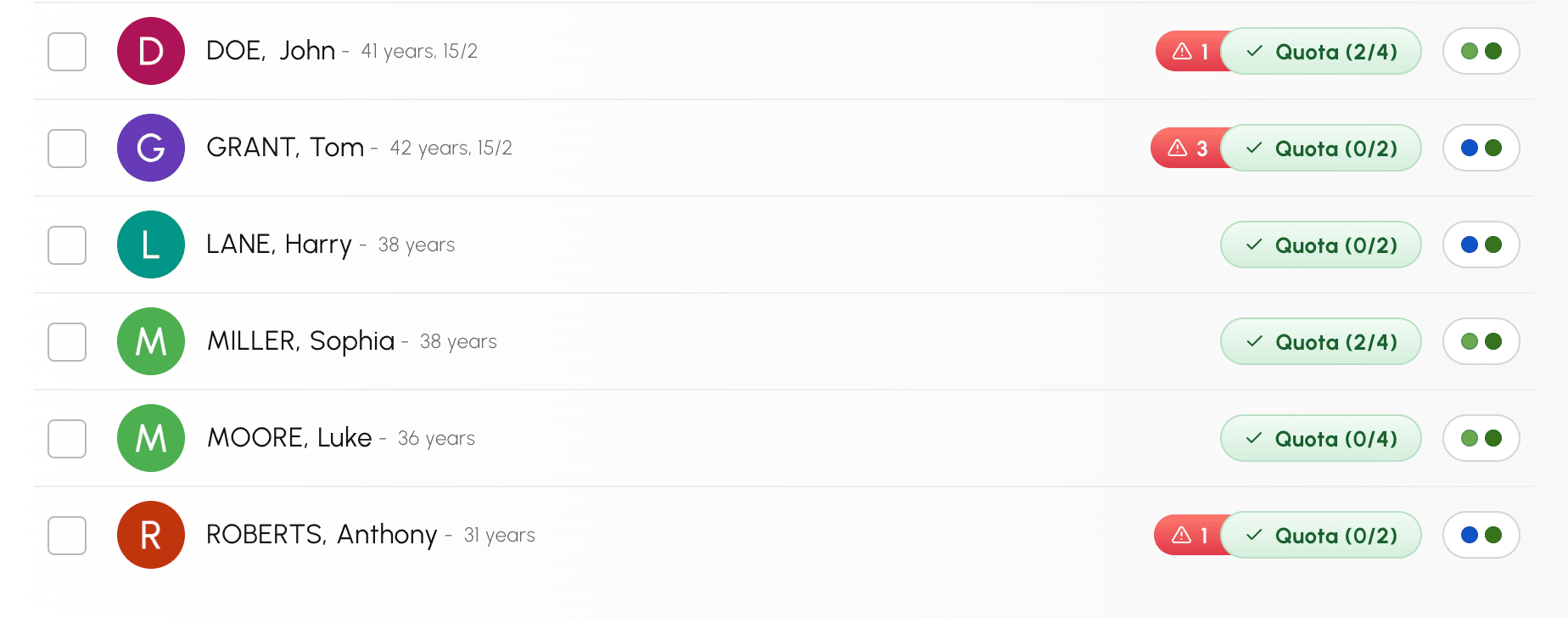
In the Users tab of the booking form, on a computer, hover over a user: their pill appears to the right of their name.
Rows keep the same height when the information arrives, and long names remain readable.
Move the mouse over the pill: a details window opens straight away. It shows the user's subscription and profile, then explains each point in one sentence. You will also find their booking credits and guest credits balances, and the name of the quota applied when the subscription has several.
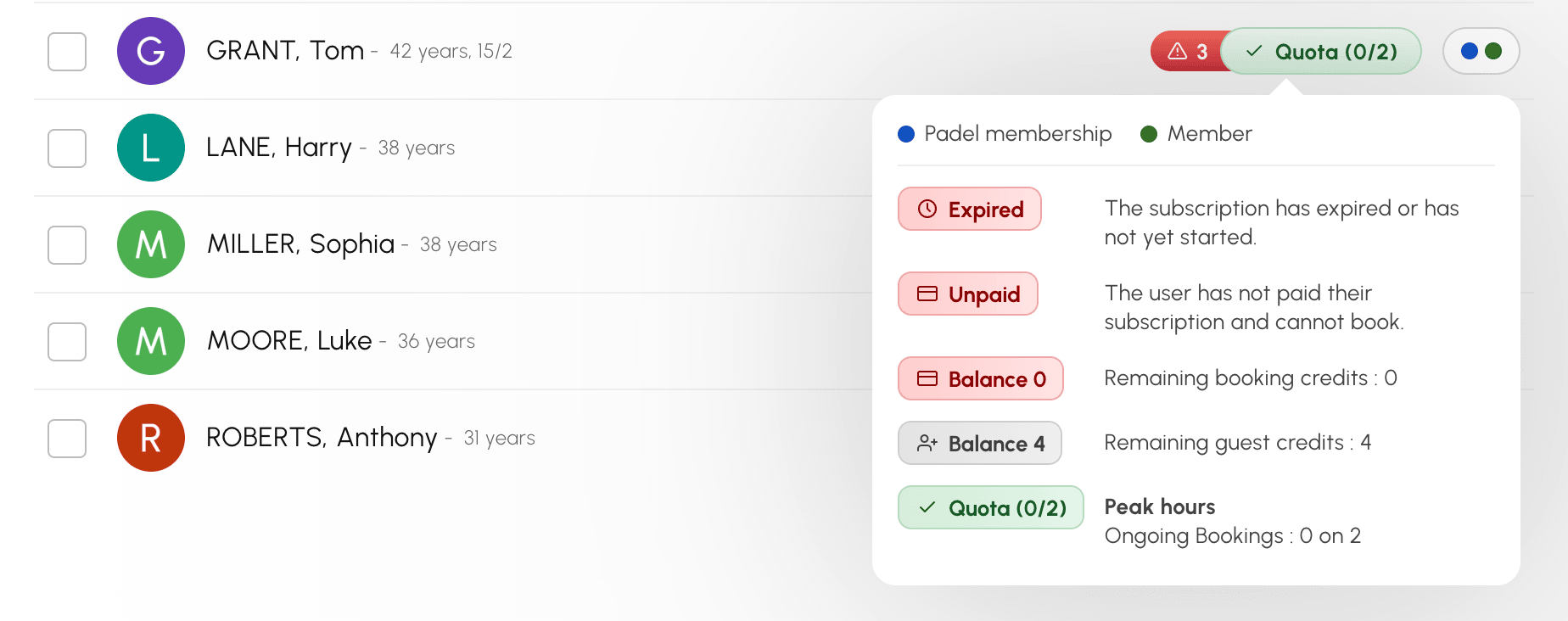
The users you select keep the same pill. Their details take the current booking into account: if a player's balance does not cover the cost shown in the Booking Cost box, an alert is added and the details tell you so. The information is updated if you change the time.
Without a mouse, the pill is shown for the users you select. Tap it to show the details, then tap it again or tap elsewhere to close them. On a phone, the details also offer a cross and a Close button.
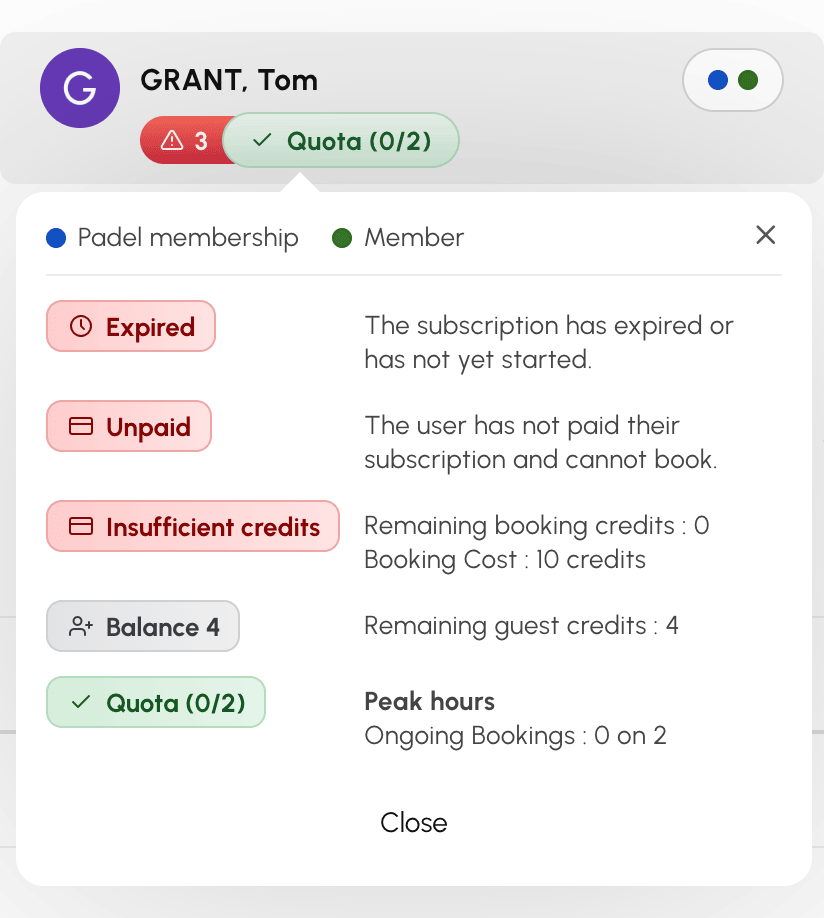
Imagine a player who books with their last booking credit: their balance drops to zero. You then open their booking to add a partner. Until now, the cost box reported insufficient credits for this player, even though the credits of their original booking are returned to them when you save.
Now, the cost box takes into account what will be refunded: it shows the actual cost of the change and states, in the player's details, the credits returned by the modified booking. If your profile enforces the players' rules (Enable Restrictions), saving is accepted again.
The alert remains when nothing will be refunded, for example if the player's subscription does not credit back cancellations.
This information is intended for the staff who book on behalf of a user.
Any questions about these changes? Our team is here to help.
The OpenResa team at your service!