

subscriptions - Card/tickets: automatically credit tickets when creating a user account
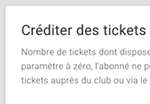
It is now possible to assign a certain number of tickets to the creation of user accounts. Until now, when you added a user, he/she had no ticket and therefore could not make a reservation.
As a reminder, the card/ticket system allows you to charge for reservations. Once activated, subscribers must have a ticket in order to make a reservation. Subscribers can obtain tickets via online payment... Read more
It is now possible to assign a certain number of tickets to the creation of user accounts. Until now, when you added a user, he/she had no ticket and therefore could not make a reservation.
As a...
Read more