



Booking as a manager
As a manager of the organization, you have extra options on the booking form. You can book for a user, overwrite a time slot, book outside the quota, repeat a booking or turn off notifications.
Book for a user
- On the calendar, click a free time slot.
- In the Users tab, search for and select the player or players concerned. The filters and the My Favorites list speed up your search.
- If needed, add guests from outside the organization and enter their details.
- Confirm. The booking is saved in the name of the selected users.
The Partner search (open booking) option leaves the time slot open so that other users can join it.
Choose who pays for each player's place
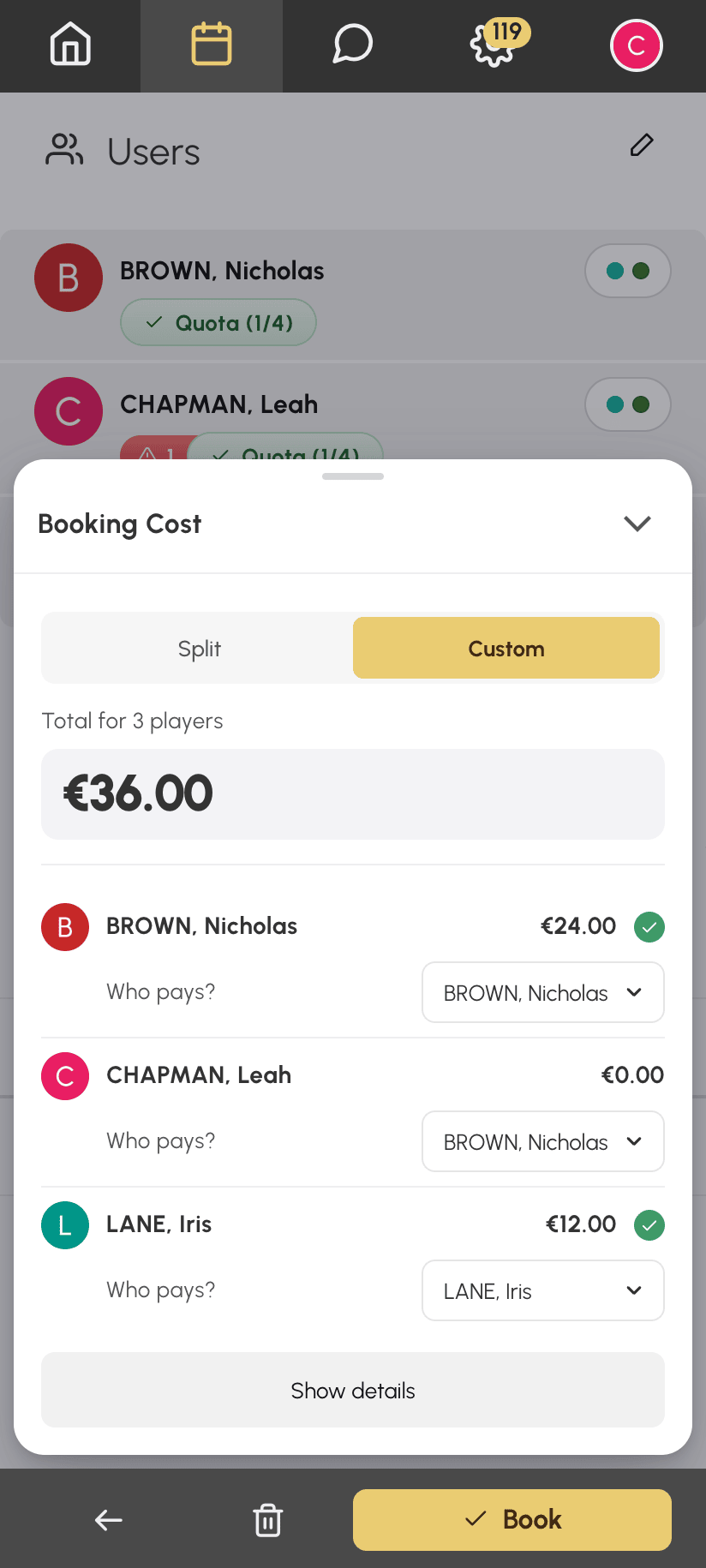
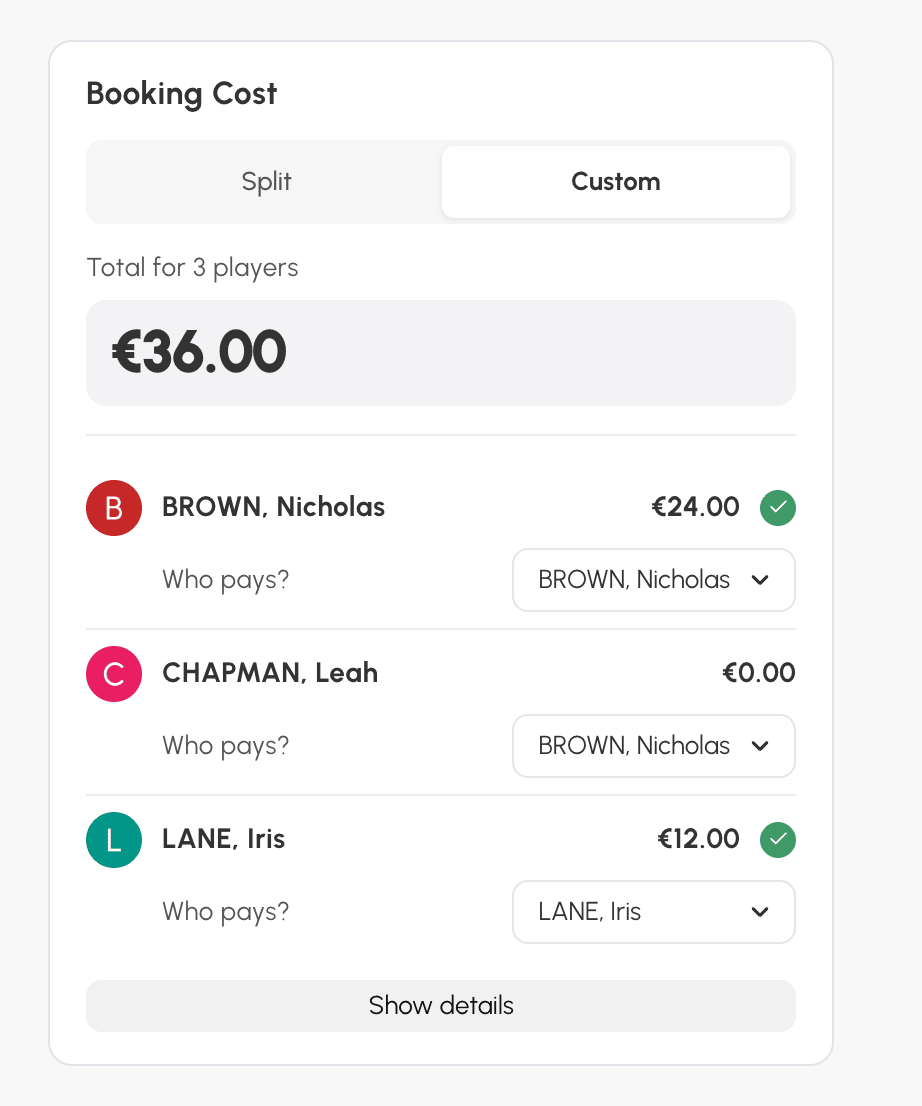
When you book for several players, you can have one player pay for another, for example a parent for their child. In the Booking Cost box, choose Custom. Then, under each player, choose the payer in the Who pays? list. This choice does not depend on the options of the players' subscriptions.
In the example below, Nicolas also pays for Léa's place, and Inès pays for her own. Nicolas is debited €24 out of a total of €36.
On mobile, the box opens as a panel from the bottom of the screen.
On a computer, the box is in the left column of the form.
Use the manager options
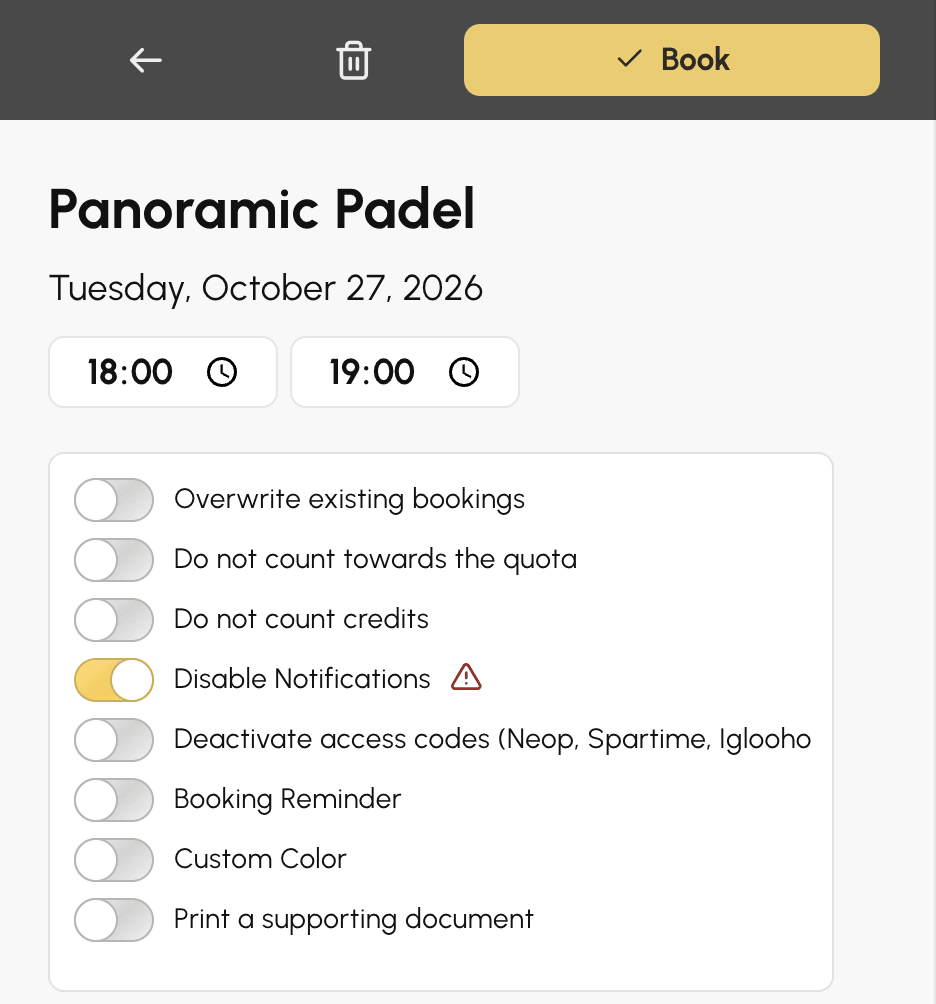
Depending on your permissions, the Options button on the booking form expands several settings. When at least one of them is active, the button changes to More options. This is a visual reminder that an option is in use, so check it before confirming a series of bookings.
- Overwrite existing bookings: replaces (cancels) any booking already on the time slot. Very useful for planning the season.
- Do not count towards the quota: the booking does not count against the user's quota.
- Do not count credits: no booking or guest credits are debited. Handy for making a time slot free.
- Disable Notifications: no e-mail or push notification is sent to the participants.
- Custom Color: applies a specific colour to the time slot on the calendar.
- Print a supporting document: offers to print a receipt after confirmation, if this feature is enabled in the display preferences.
Repeat a booking over several weeks
With the Book with Repetition permission, the Repeat Booking box on the form places the same booking on several days, several weeks and several calendars. Combine it with a label to schedule a weekly lesson or a training session for the whole season.
