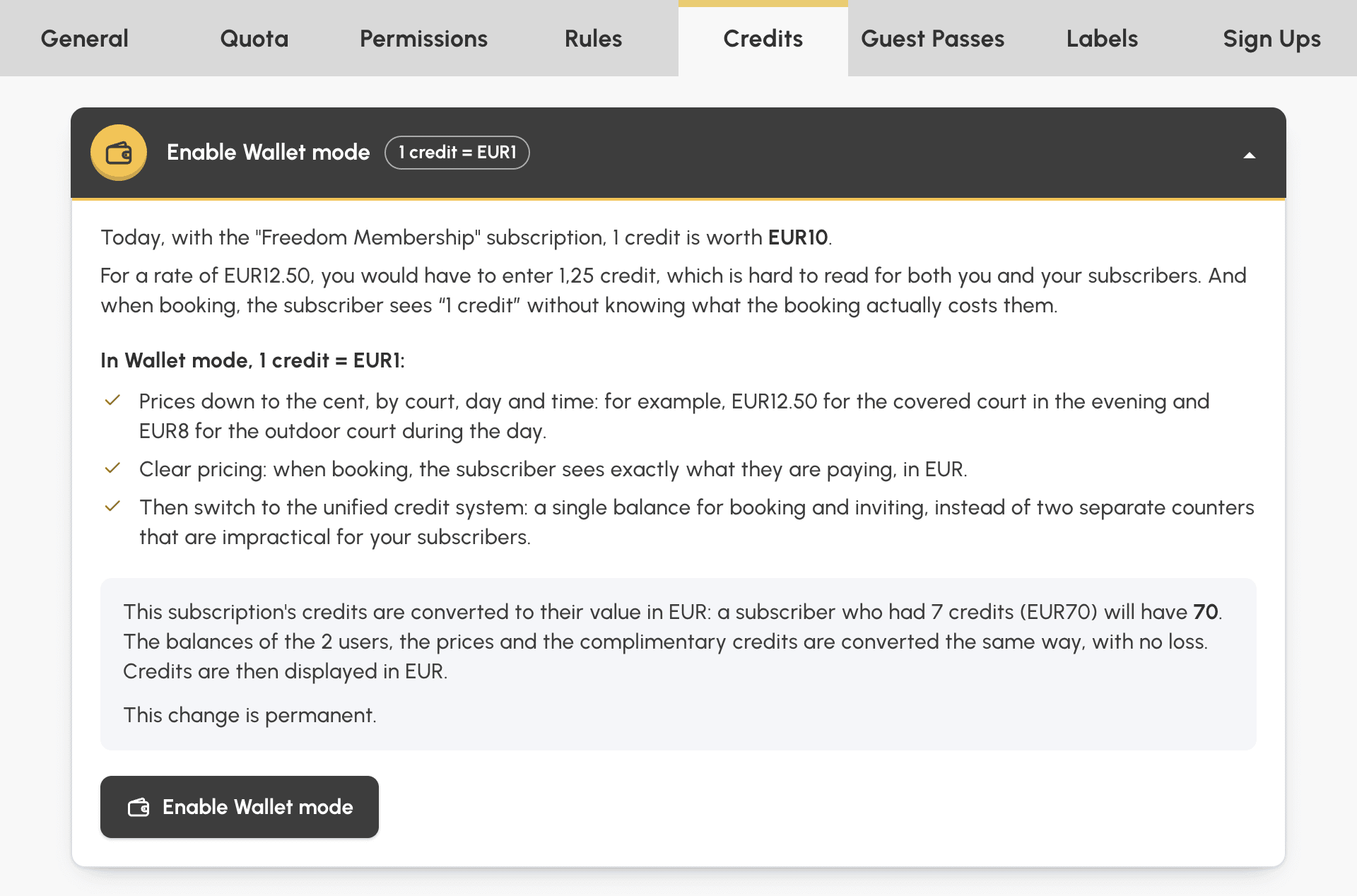
With Wallet mode, your prices and your subscribers' balances are shown in your currency: each credit is worth €1 (or one unit of your currency). An existing subscription can now switch to it in a single operation: the Enable Wallet mode box converts your subscribers' balances, your prices, your credit packs and the upcoming bookings already paid for, without anyone gaining or losing a cent.
Many clubs started with a credit worth several units of their currency, 1 credit = €10 for example. An hour of padel at €12.50 then has to be written as 1.25 credits, and the subscriber who books reads "1.25 credits" without knowing what the booking really costs them. Until now, changing this value meant recalculating every balance and every price with a bulk action. Now one click is enough.
Full details are in the documentation: Activate Wallet mode.
In Wallet mode, a one-hour padel slot at €12 shows as €12.00 wherever a price or a balance appears. Without Wallet mode, with a credit sold at €10, the subscriber reads 1.20 credits and has to do the maths.
Each free slot shows its price next to its duration.
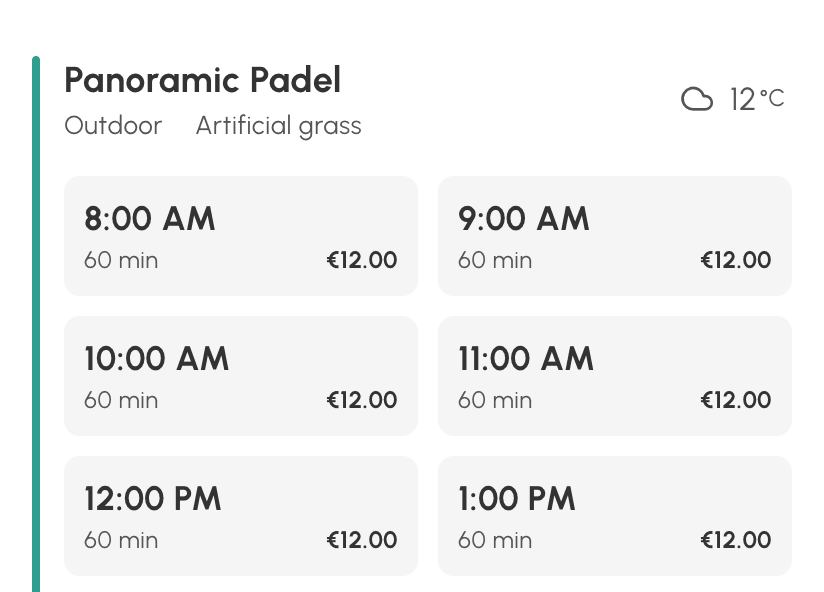 With Wallet mode |
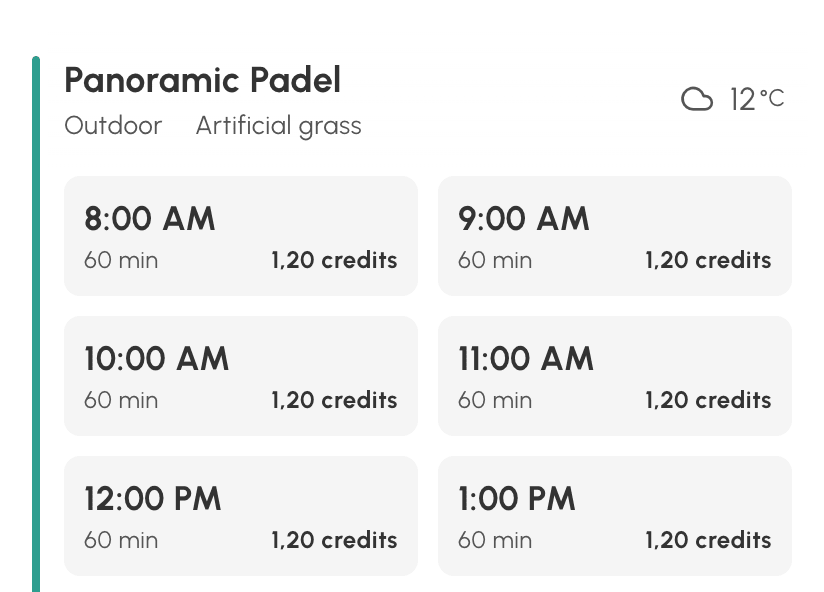 Without Wallet mode |
The credit balance appears under the quota, in the same unit as the prices.
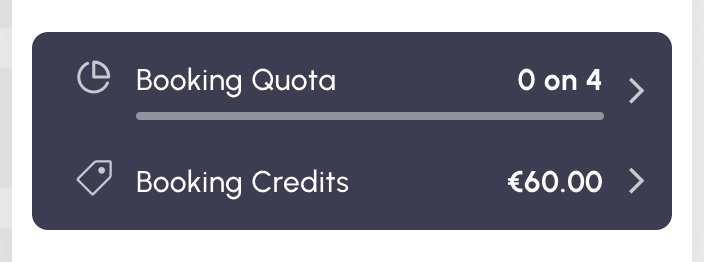 With Wallet mode |
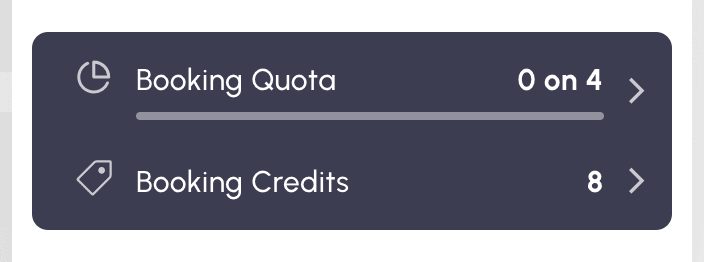 Without Wallet mode |
When booking with a partner, each player's share, the total and the balance after the booking read directly in your currency.
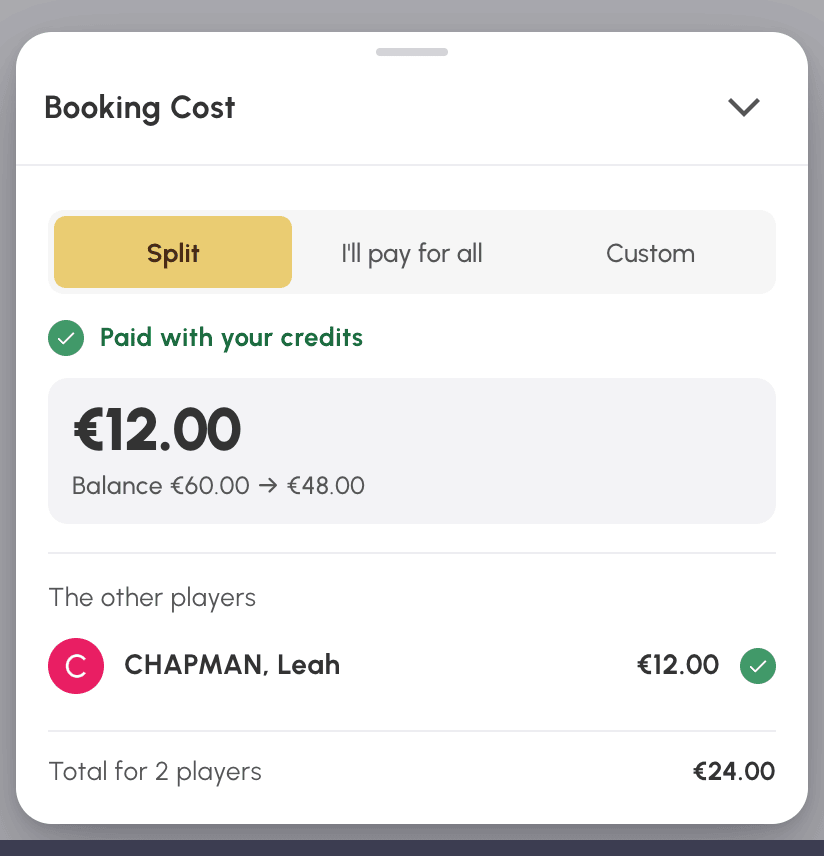 With Wallet mode |
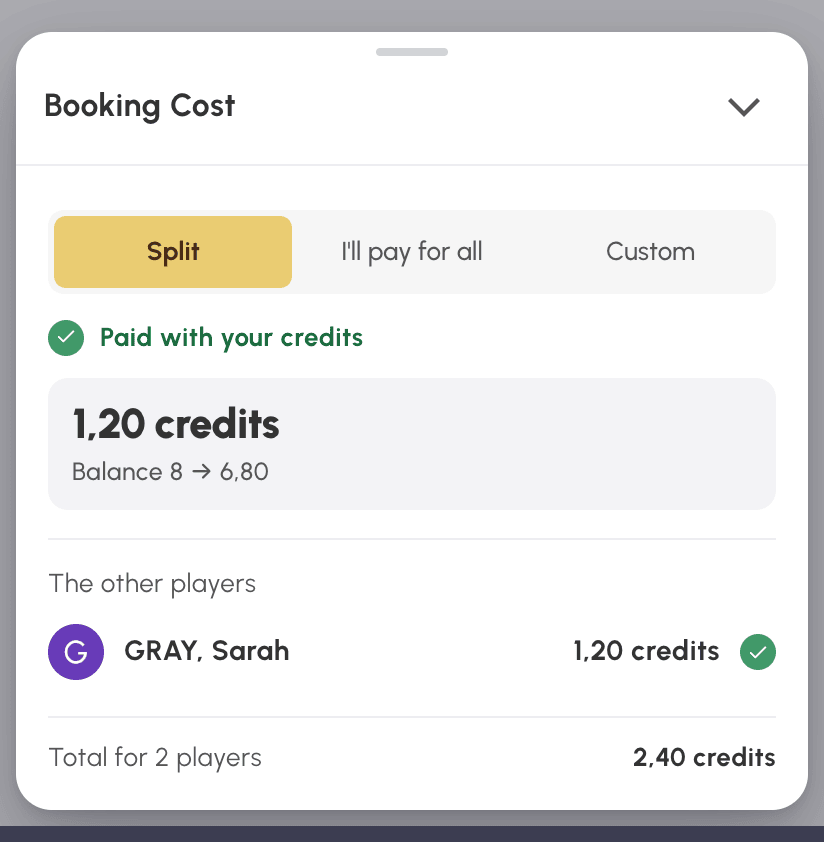 Without Wallet mode |
Take the Freedom Membership, whose credit sells for €10. Every number of credits is multiplied by 10, and every amount in your currency stays the same:
Credits are then shown in your currency. Each converted balance carries a note in the user's history.
As long as a subscription is not in Wallet mode (1 credit = €1), the Enable Wallet mode box appears at the top of its Credits and Guest Passes tabs, under Administration›Users›Access Rights›Subscriptions. Open it: it recalls what a credit is worth today and sums up what will change, with the number of users and bookings concerned. Click the button, check the details of the conversion, then confirm.
Booking credits and guest credits are each converted from their own tab.
The conversion is permanent: no button reverses it. It is refused as long as a credit order from a user of the subscription is awaiting payment: collect payment for it or cancel it first. During the few seconds it takes, bookings in your organization are paused.
Two settings apply to your whole organization and are not converted: the credits offered by the automatic birthday message, and the price in credits of participatory bookings. Once the subscriptions concerned have switched to 1 credit = €1, multiply them yourself, by 10 in our example.
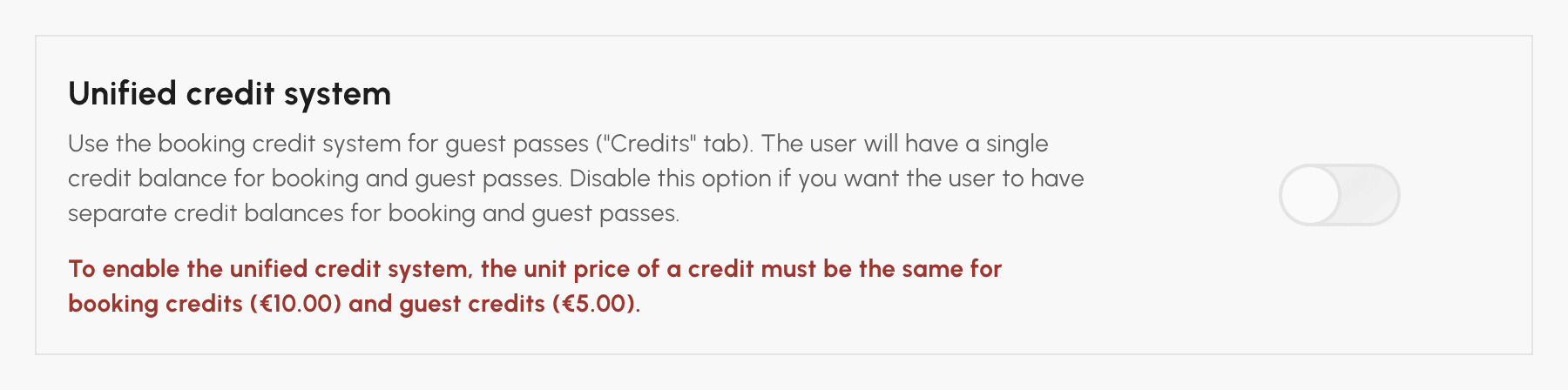
To go further, if you use both Credits and Guest Passes, turn on the Unified credit system in the Guest Passes tab: your subscribers will have just one balance. The option requires the same Unit price of one credit for booking and for inviting, which converting both tabs takes care of.
See the documentation: Activate Wallet mode.
Any questions about converting your subscriptions? Our team is here to help.
The OpenResa team at your service!