Highly anticipated by users, a new feature is making its appearance: the modification of participants in a booking directly by the responsible user, without the intervention of an administrator and without the need to cancel the booking beforehand.
The participant responsible for the booking — that is, the one who created the booking / whose name appears first on the time slot — can now make the following modifications to their own bookings:
The other participants registered on the time slot cannot make these modifications: only the responsible (first name registered on the time slot) retains control over the composition of the time slot.
To modify the participants of a booking, you have two entry points:
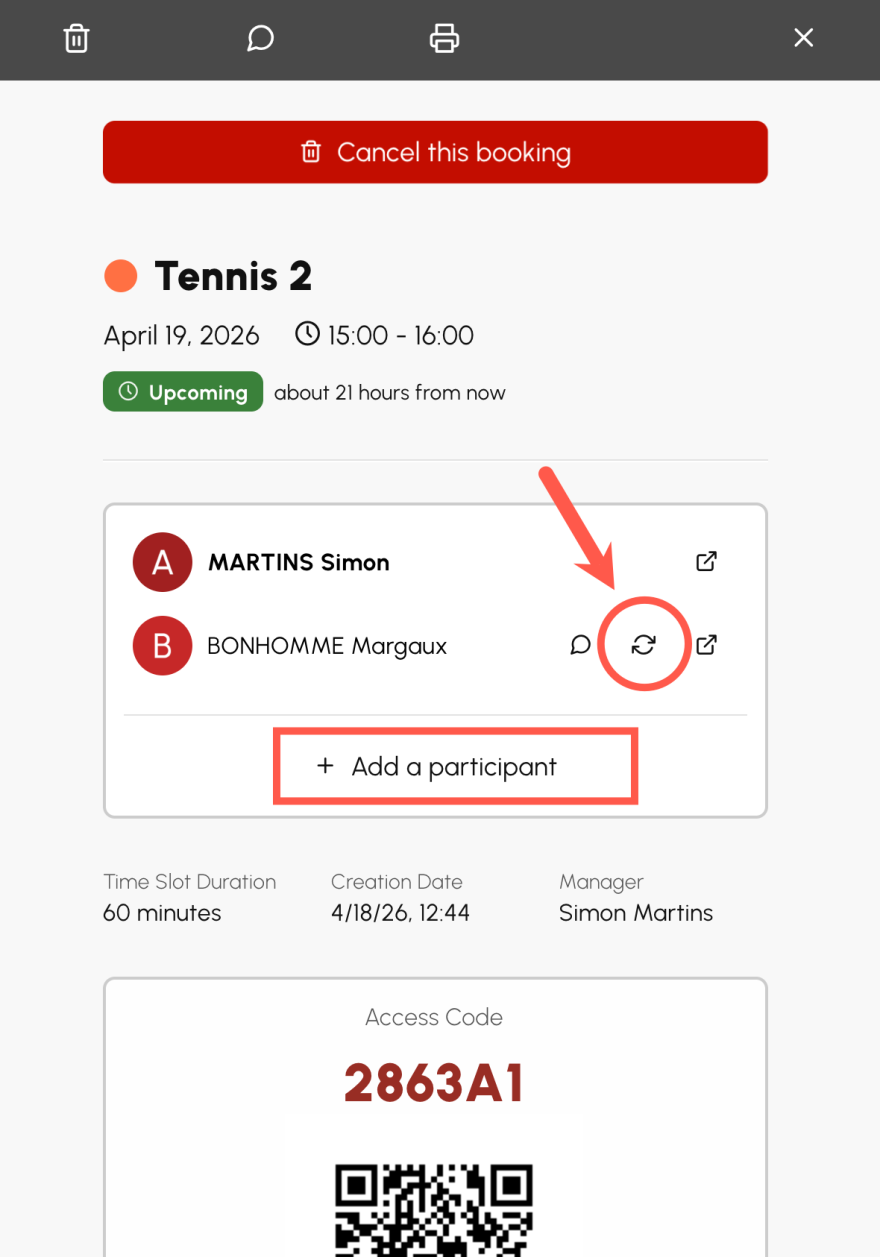
On the booking details, a dedicated button appears to the right of each listed participant: clicking on it allows you to choose the replacement. At the end of the list, a « Add a participant » button is available when the club's configuration still allows adding a name to the time slot (maximum number of participants).
This new possibility is activated by default for all users. No action is therefore necessary to benefit your users.
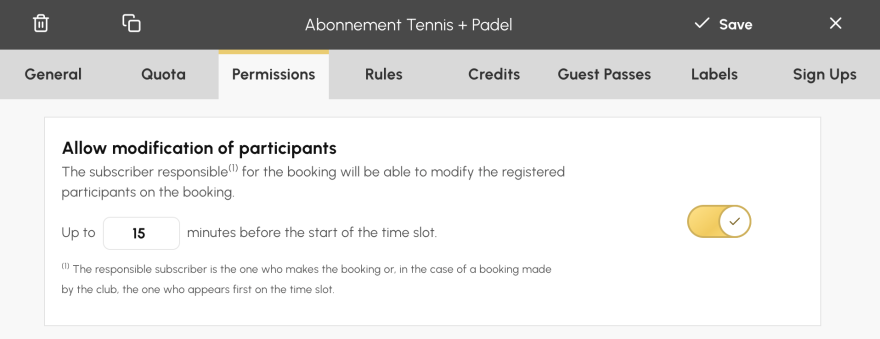
The club nevertheless retains full control over this behavior and can, if desired:
To access this setting, go to the menu « Administration > Users > Subscriptions », click on the subscription to configure, then open the tab « Permissions ». There you will find the new option « Allow modification of participants », along with the field to enter the desired delay.
This evolution offers users more autonomy in managing their time slots, while preserving the flexibility of configuration that clubs need. We invite you to test it now and remain, as always, at your disposal to gather your feedback.
The OpenResa team at your service!