Do you want members to be able to view schedules over a 30-day period while limiting the reservation to the next 7 days? This update answers your problem!
Indeed, until now, you could open the schedules to the reservation on a period of X days, but you could not extend the display on a larger period.
At the request of many clubs, the current setting has been split into two contexts: "reserve" and "display". To configure the default values, go to the menu Administration > Schedules > Schedules Setup.
In the configuration shown below, Court #1 will be booked until the next day at the most, but the member will still be able to view the schedules over a 7 day period.
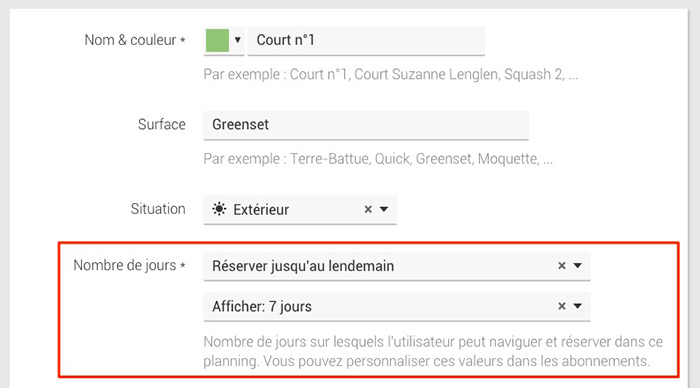
Of course, you can always customize the configuration of each "subscription" in the menu Administration > Users > Subscriptions > Reservation quota by checking the option"Customize the number of days for this subscription".
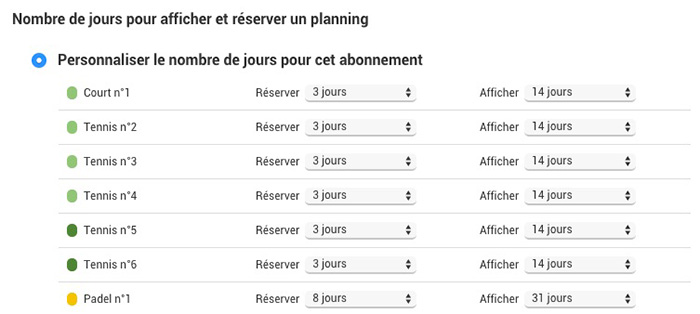
In the configuration shown below, the "Adults" subscription will allow you to reserve the tennis courts over 3 days while being able to display the slots over 14 days:
The BalleJaune/OpenResa team wishes you all the best for the new year!



