If you are using the browser Internet Explorer 8 (Windows XP) to access BalleJaune/OpenResa, please read this message carefully.
Asof Wednesday, July 1, 2015, the Windows Service Pack 3 update is required to continue accessing BalleJaune/OpenResa from Internet Explorer 8.
To check if your Windows XP computer has Service Pack 3, go to Control Panel > Performance and Maintenance > System.
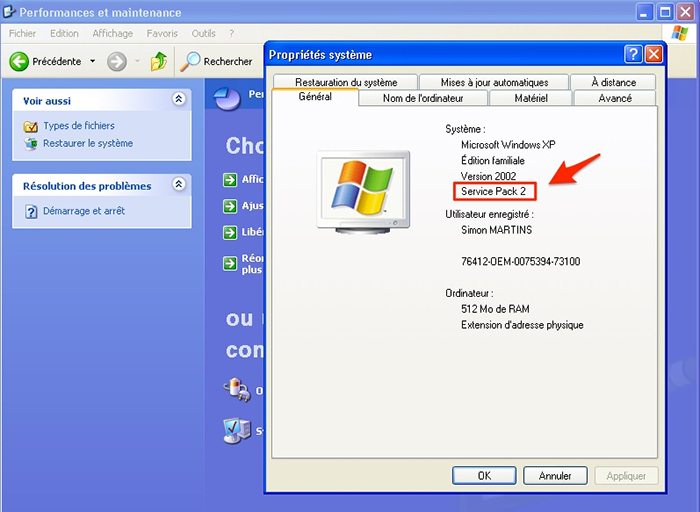
If your computer is still running Service Pack 1 or 2, you will not be able to access BalleJaune with Internet Explorer.
We invite you to download and install the Service Pack 3 from Microsoft on your computer via the link below or directly from Windows Update. Service Pack 3 is a set of security updates for your computer. After installing the updates, BalleJaune will be accessible again from your computer with Internet Explorer 8.
Download link: https://www.microsoft.com/fr-fr/download/details.aspx?id=24
Instructions:
If for some reason you are not able to install the Service Pack 3 update on your Windows XP computer, we recommend you to use the Mozilla Firefox web browser.
Download and install Firefox: https://www.mozilla.org/fr/firefox/new/
Please feel free to contact Simon ( simon@ballejaune.net) if you have any questions or need help.
The BalleJaune team.



