Your users can now have their guests pay their own share, if your organization accepts online payments. When booking, they choose for each guest whether to pay themselves or to send the guest a payment link: the guest pays for their spot online, without creating an account, and receives their invoice.
Until now, the person booking always paid for guest passes with their own credits, then had to get the money back from their friends. With payment by link, the guest pays their share directly to your organization: the subscriber no longer has to collect it from them in person.
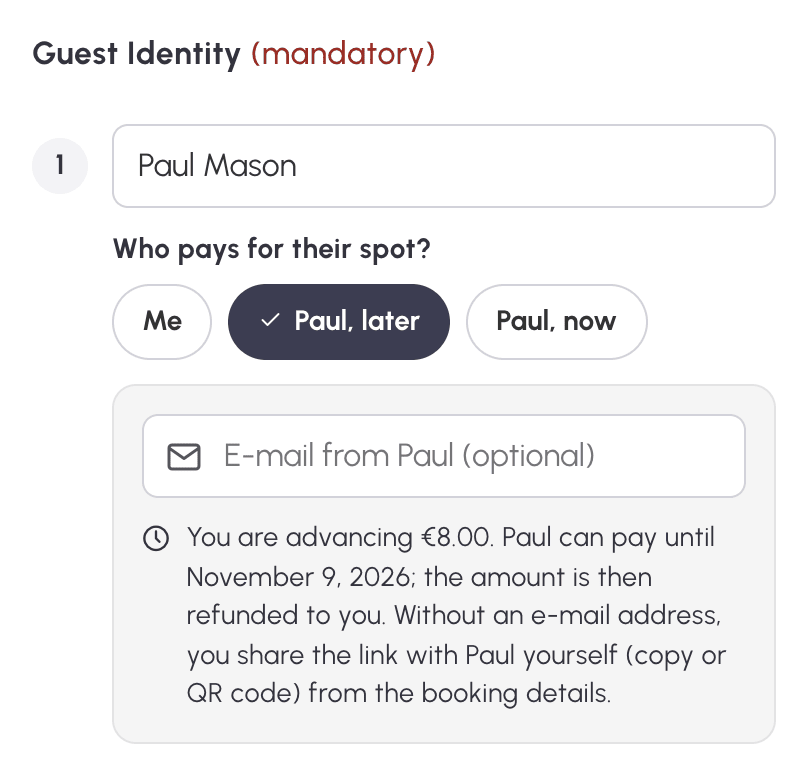
In the booking form, under each guest's name, the question Who pays for their spot? offers three answers: Me, as before, or two buttons with the guest's first name, Paul, later and Paul, now. The guest's name is then required. Their email address is optional: without it, the subscriber passes the link on themselves.
The booking is confirmed straight away. The subscriber pays the guest's share up front with their credits, as for an ordinary guest pass, and the guest has until 7 days after the end of the slot to pay it. As soon as the guest pays, the credits paid up front go back to the subscriber.
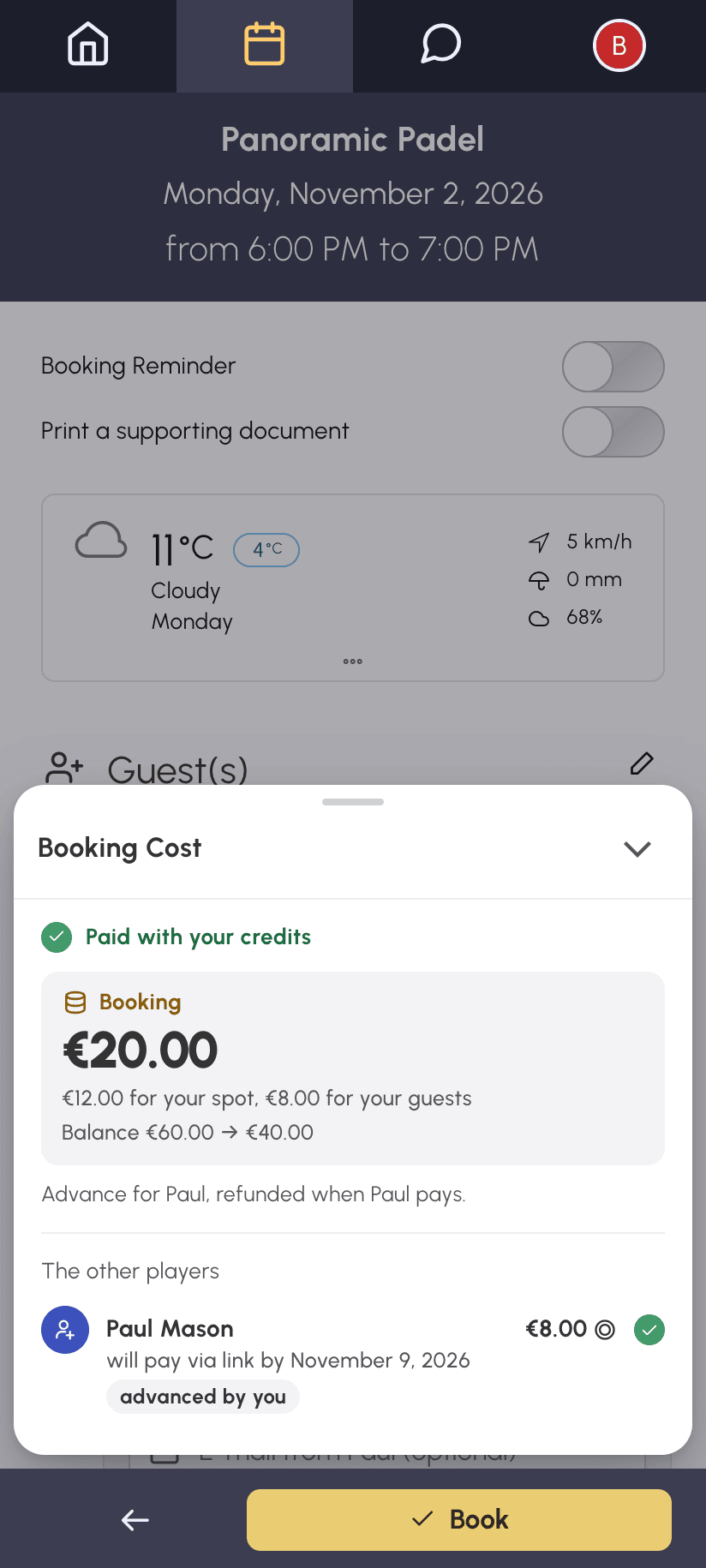
Take Nicholas, who books a padel court with his friend Paul, whose guest pass costs €8. Nicholas is charged for his own spot and for the €8 guest pass. When Paul pays his €8 online, Nicholas gets his €8 of credits back. The Booking Cost box shows this before booking.
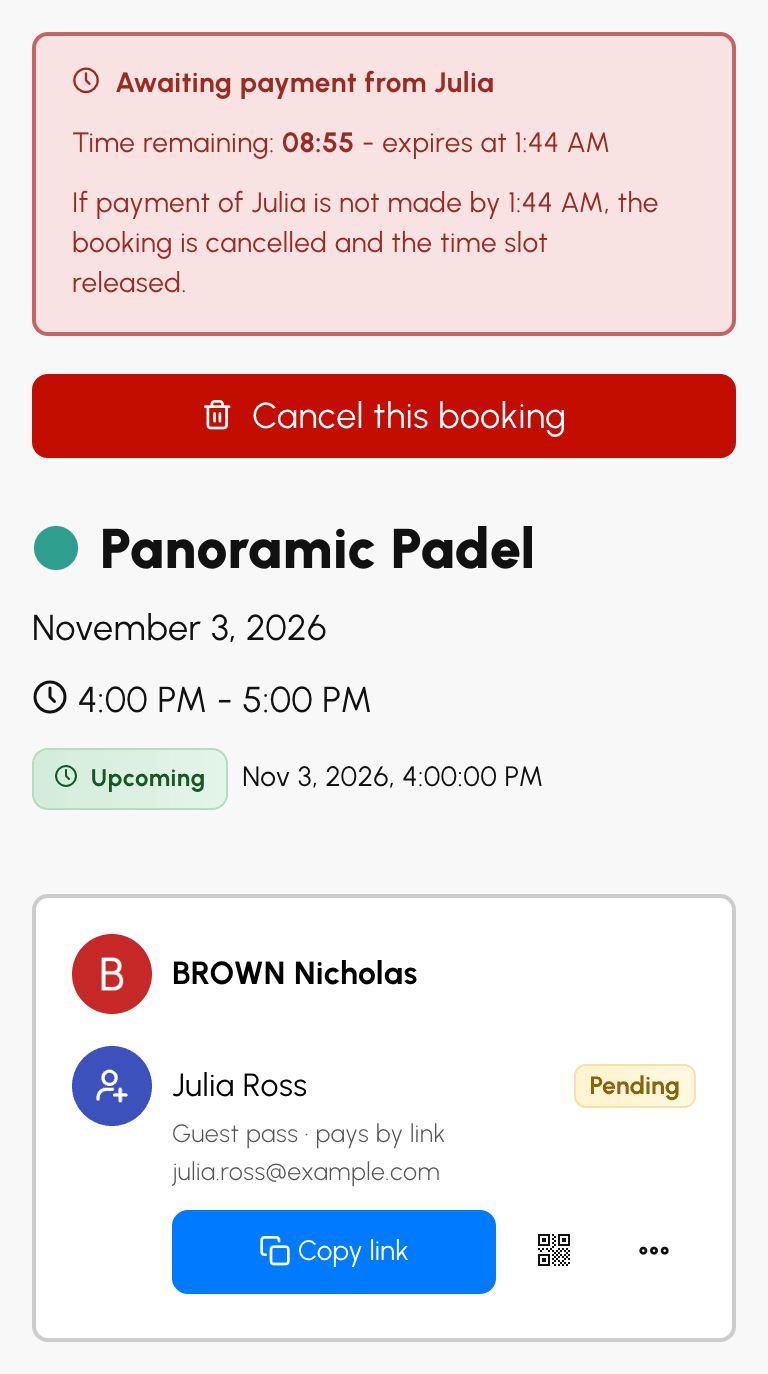
The booking is only confirmed once the guest's share has been paid. It waits for the payment for the time limit set for payment on booking, usually a few minutes. The booking details open with the time remaining and update as soon as the guest has paid. Without payment in time, the booking is cancelled and the slot released.
This choice is only offered if your organization has enabled Payment on booking for the subscription.
If the subscriber entered their guest's email address, the link is sent automatically. Otherwise, they pass it on from the booking details: Copy link to paste it into a message, the QR code to scan when the guest is next to them, or Send by e-mail in the guest's menu.
The link opens a payment page in your organization's colors, with the slot, the share to pay and the deadline. The guest pays online, without an account, and receives their invoice by email.
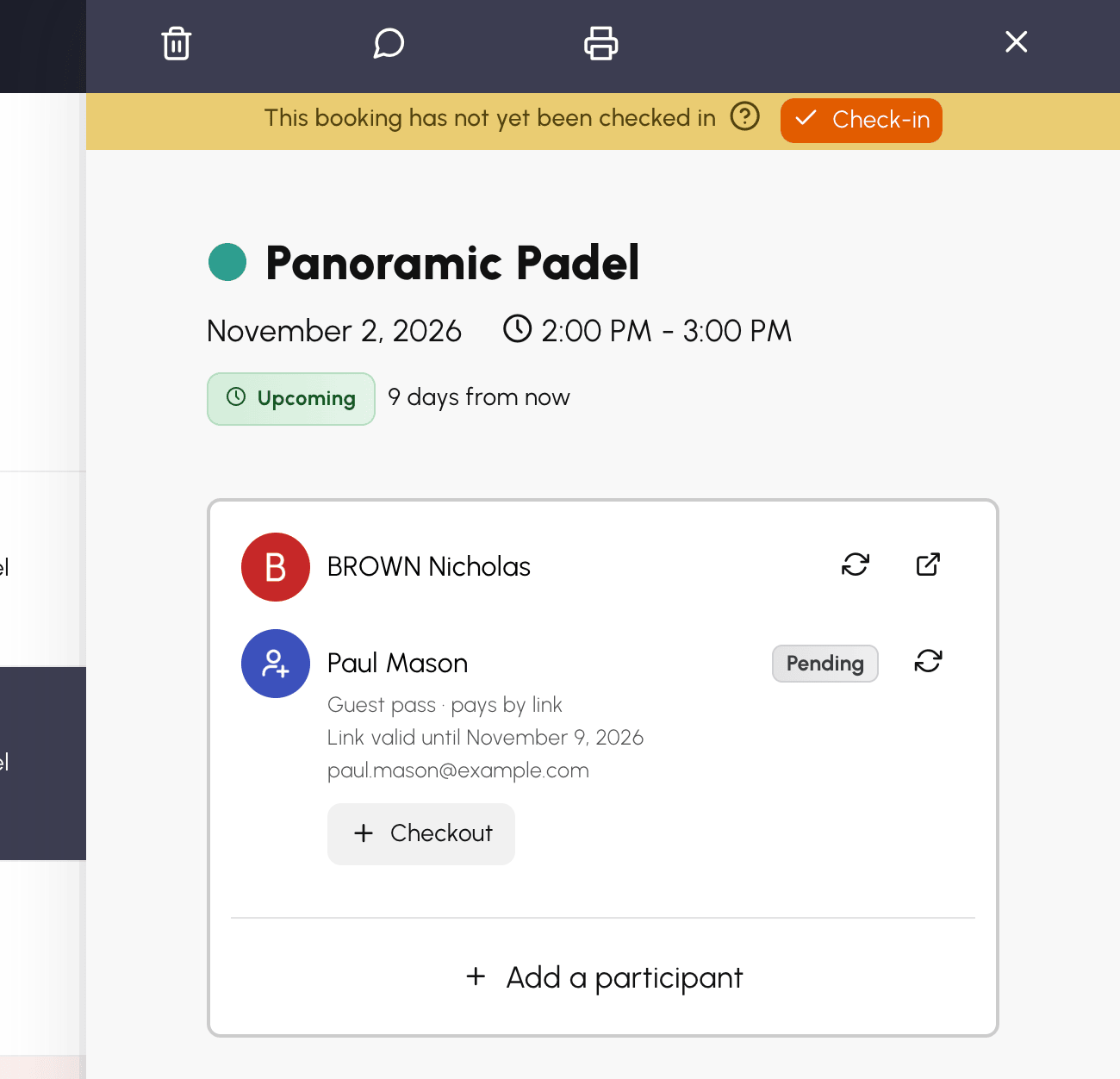
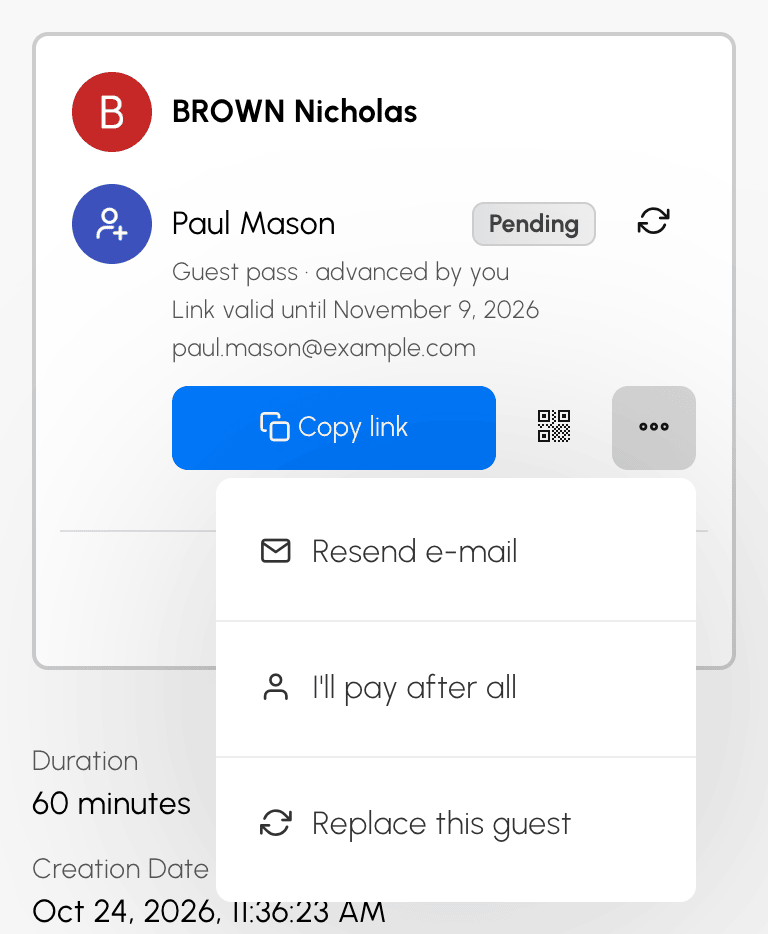 In the booking details: Copy link, QR code and the guest's menu |
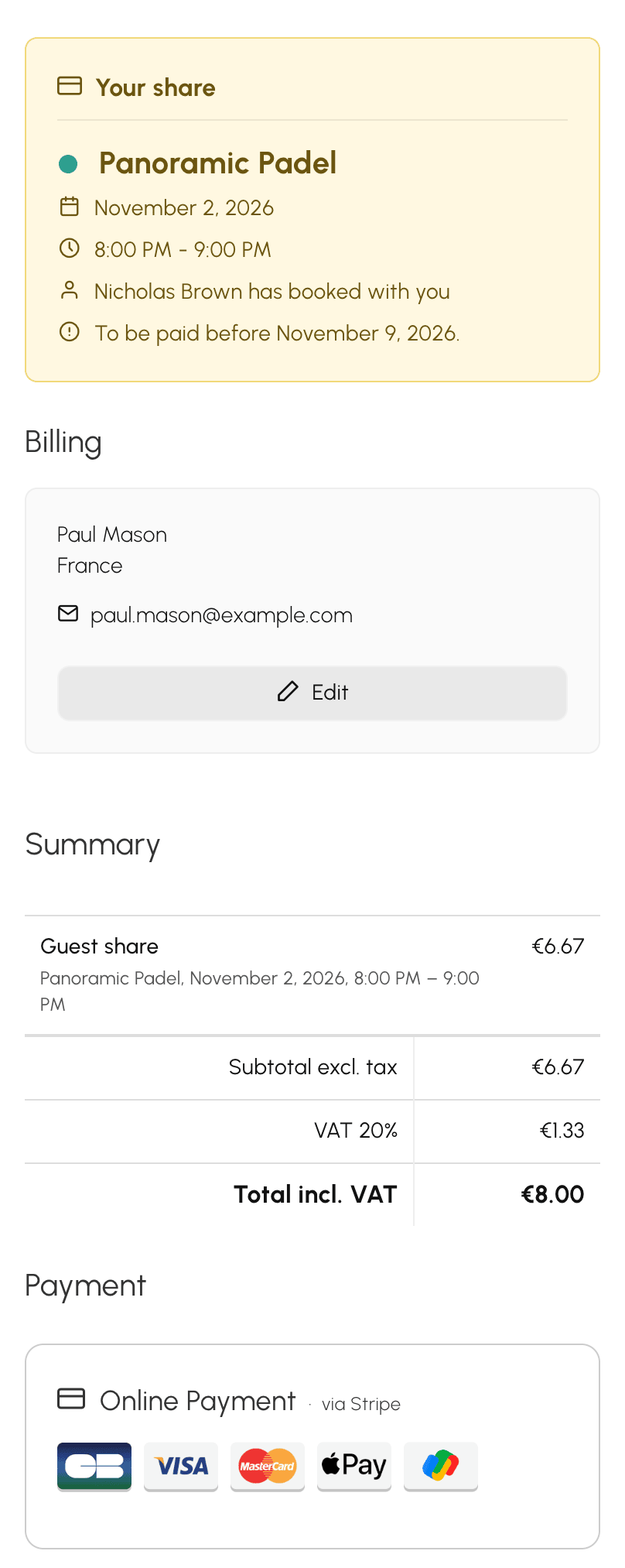 What the guest sees: their share and online payment |
The booking details show for each guest whether they have paid. As long as a "later" guest has not paid, the subscriber can take their share back on with I'll pay after all, or replace them with someone else with Replace this guest.
See the documentation: Inviting a person from outside the organization.
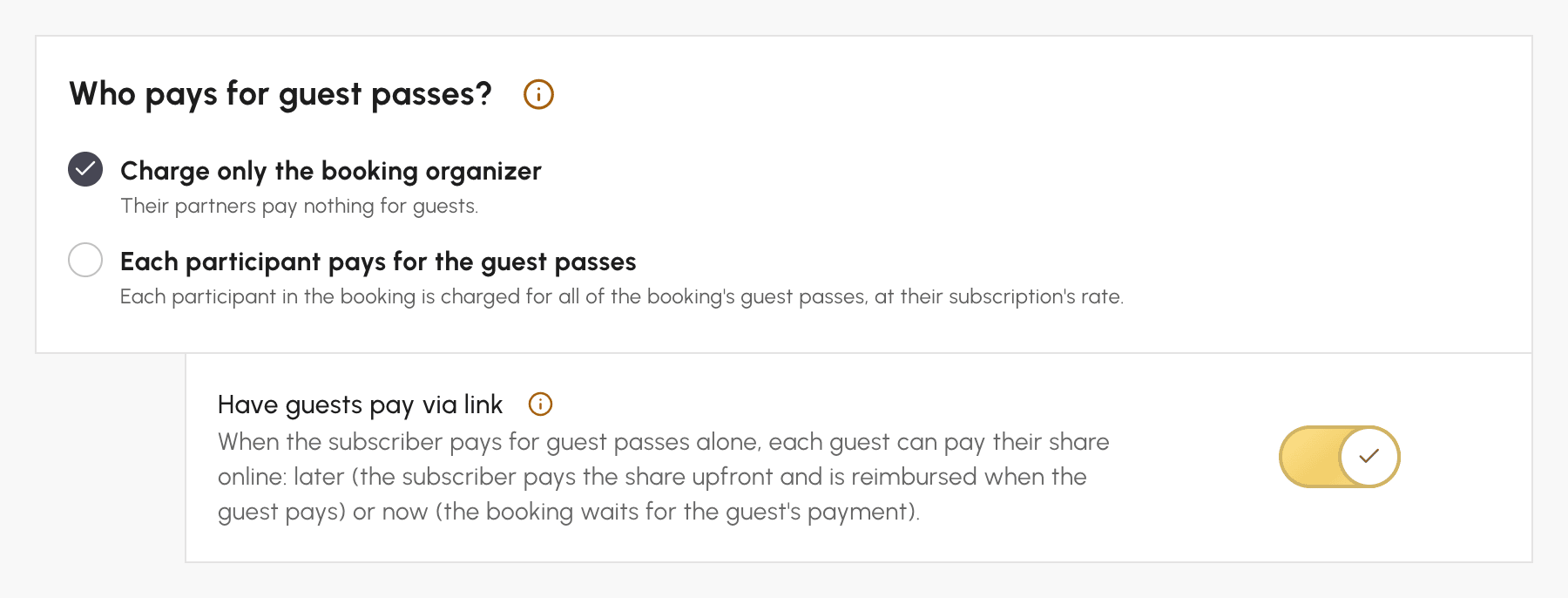
The Have guests pay via link option is enabled by default on all your subscriptions. Your subscribers see the choice as soon as your organization accepts online payments and the subscriber booking is the only one paying for guest passes. You can disable it subscription by subscription.
You will find it in Administration›Users›Access Rights›Subscriptions, on the Guest Passes tab of each subscription, in the Who pays for guest passes? block. The link is offered when the subscriber booking is the only one paying for guest passes: always with Charge only the booking organizer, and with Each participant pays for the guest passes when they play only with their own guests. The guest's share matches the selling price of the subscription's guest credits.
Each paying guest has their own order, in the name of your walk-in customer, collected on the subscription's billing account, with an invoice in the guest's name. The subscriber only gets back what they paid up front, always in credits.
See the documentation: Have guests pay by link.
Any questions about this setting? Our team is here to help.
The OpenResa team at your service!