You can now pay for your partners' spots with your own credits, if your organization allows it: to treat a friend to a game, help out a partner whose balance is empty, or pay for a player who joins you. The details of each booking then show who paid for what.
Until now, each player paid their own share, and a partner without enough credits blocked the whole booking. The Booking Cost box has also been redesigned: on a phone, the cost fits in a bar at the bottom of the screen, and a glance is enough to see whether everything is in order.
Full details are in the documentation: Sharing the cost of a booking.
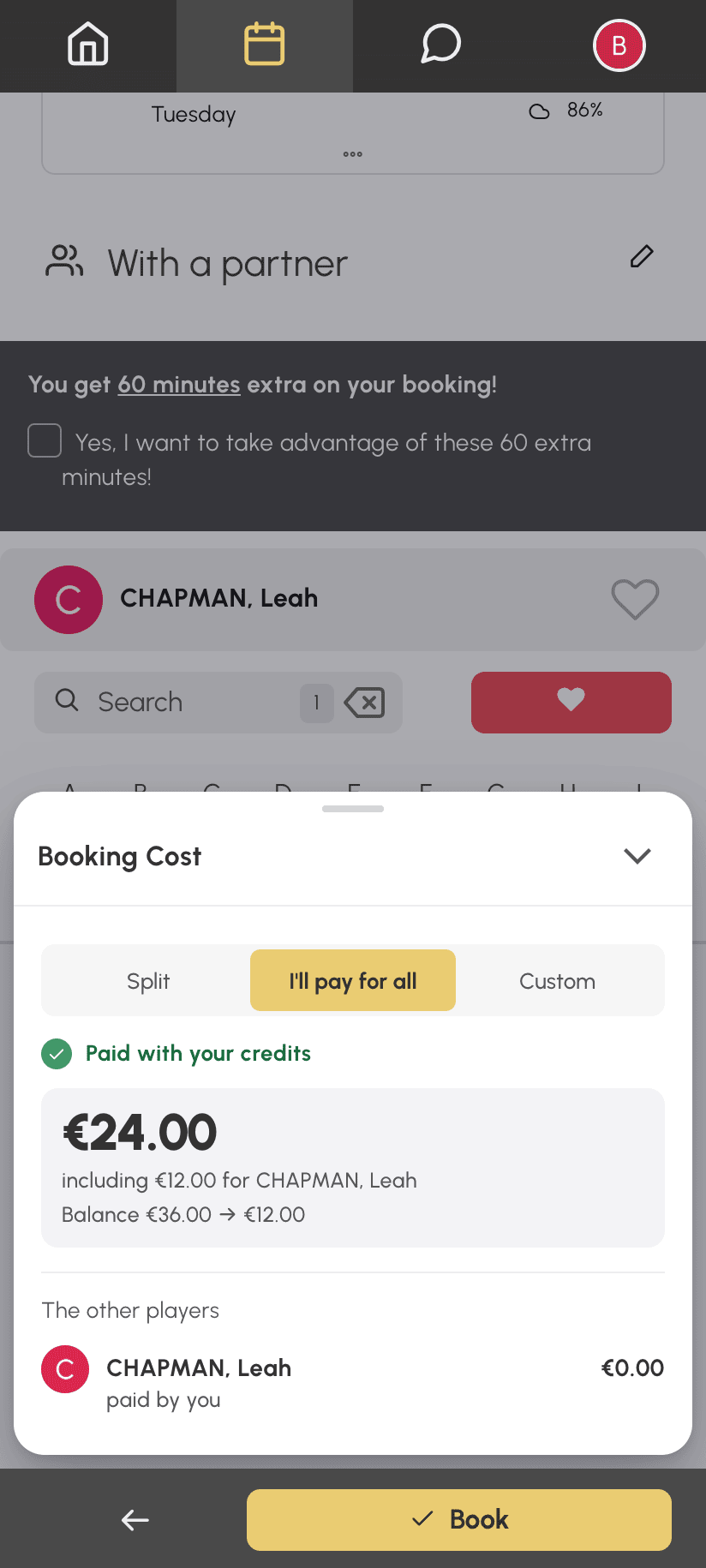
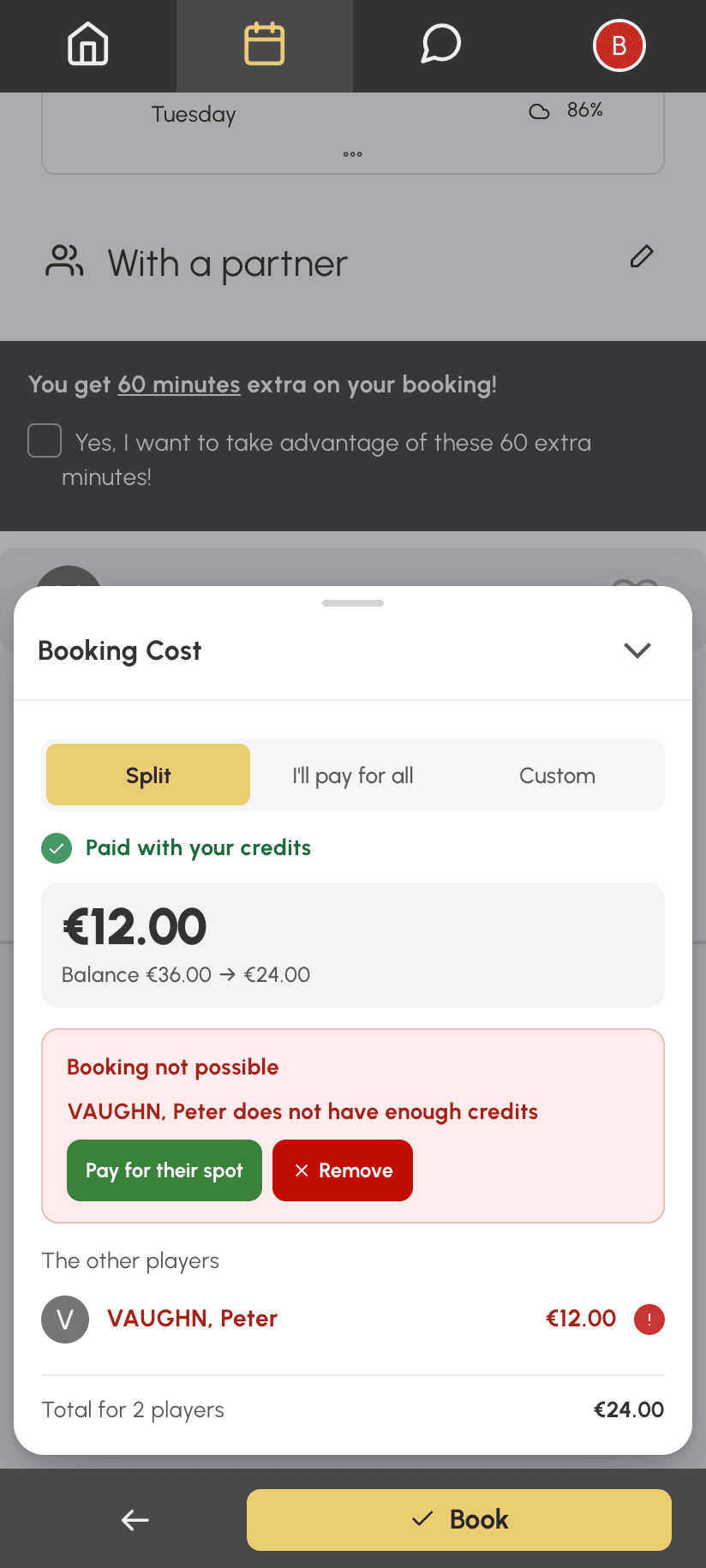
On a phone, the cost of your booking is shown in a bar fixed above the Book button. It updates each time you tick a partner. A green dot and Paid with your credits: everything is in order. An amount in orange and Remaining to pay: your organization lets you pay what is missing as you book. A red bar: credits are missing, yours or a partner's.
Tap the bar to open the details: what you pay, your balance before and after the booking, and the situation of each of your partners, without ever showing their balance. On a computer, the same details appear directly in the form's column.
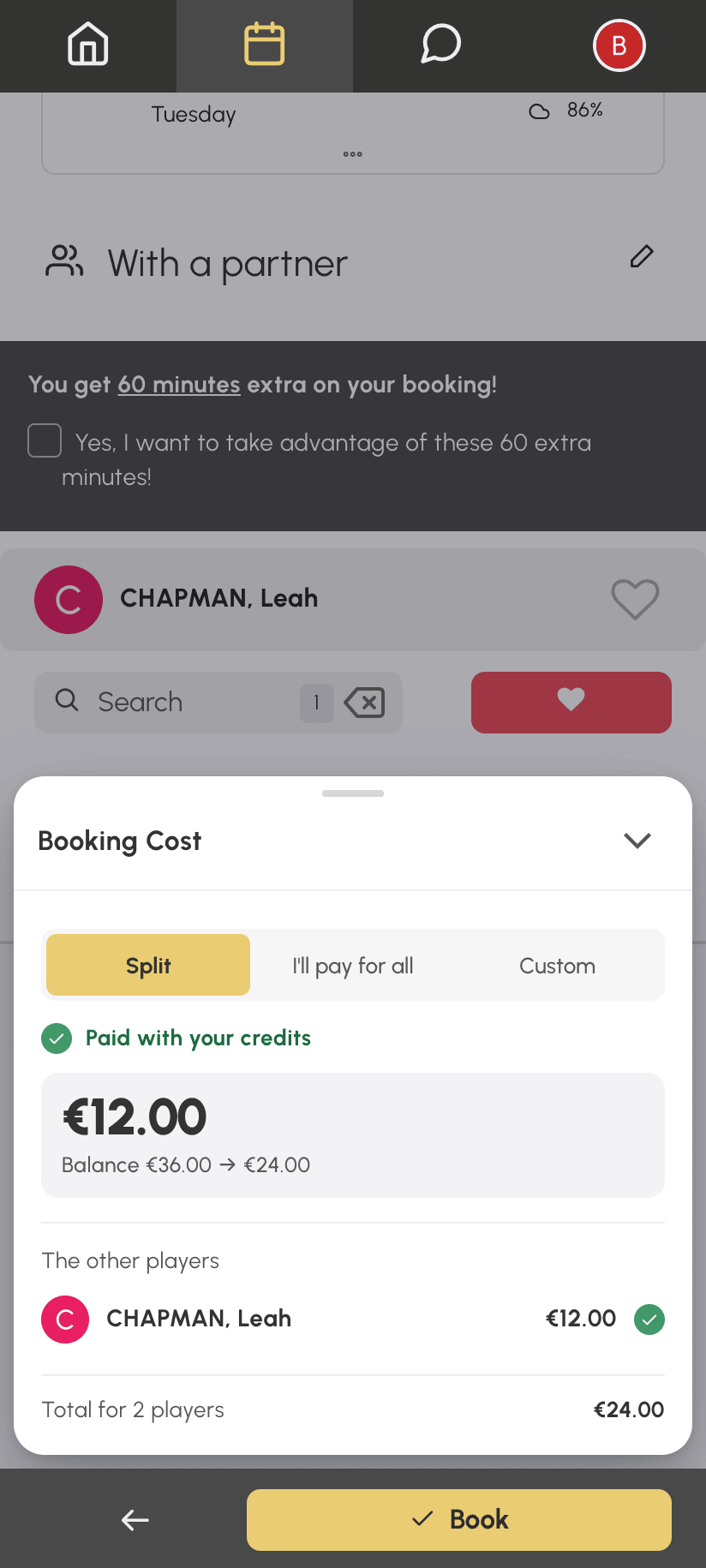
If your subscription allows it, three choices appear at the top of the details as soon as you book with a partner:
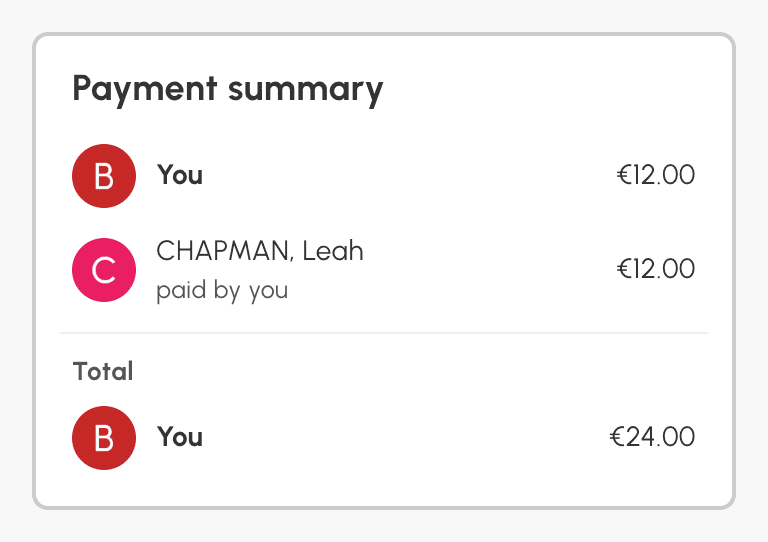
Take Nicholas, who books a padel court with Leah at €12 per spot. With I'll pay for all, Nicholas is charged €24 and Leah nothing: a line under his amount recalls the €12 paid for her, and paid by you appears under Leah's name. The confirmation email tells everyone who paid for their spot.
A partner doesn't have enough credits? Rather than removing them from the booking, click Pay for their spot: the game is saved.
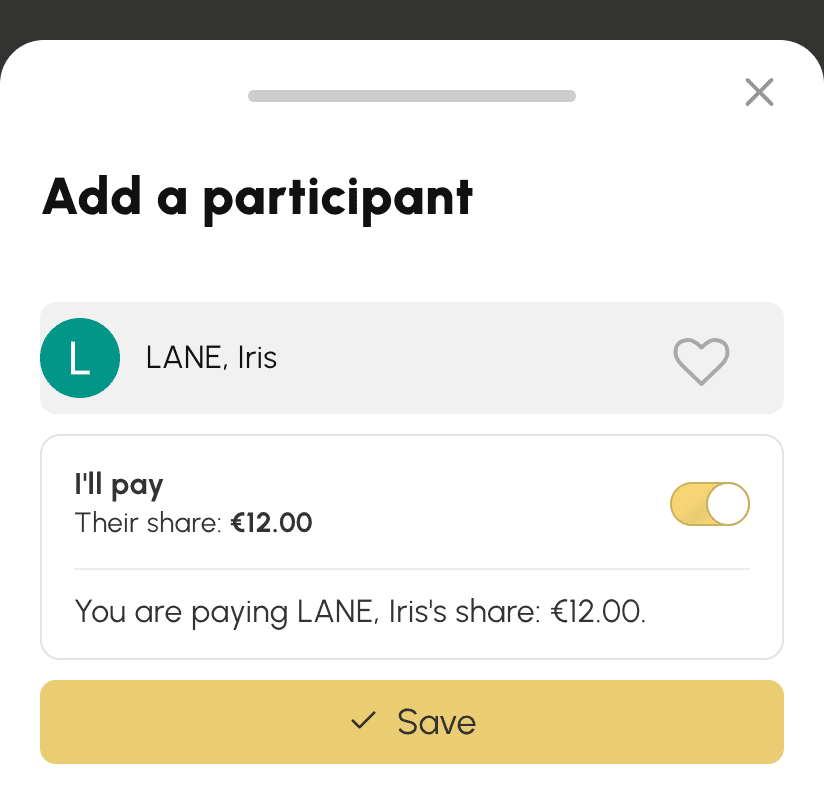
You can also make this choice afterwards. When a friend steps in at the last minute for a partner who dropped out, or comes to complete the game, open your booking's details, click Add a participant, choose them and turn on I'll pay. The window shows what will be charged before you save.
At the bottom of each booking's details, the Payment summary shows what each player paid and, where applicable, who paid for them. It remains available after a cancellation, with Refunded or Not refunded on each amount.
What was paid always goes back to whoever paid it. If the game is cancelled, Nicholas gets back his spot and Leah's. The spot paid for Leah is refunded to him according to the cancellation conditions of Leah's subscription.
See the documentation: Sharing the cost of a booking.
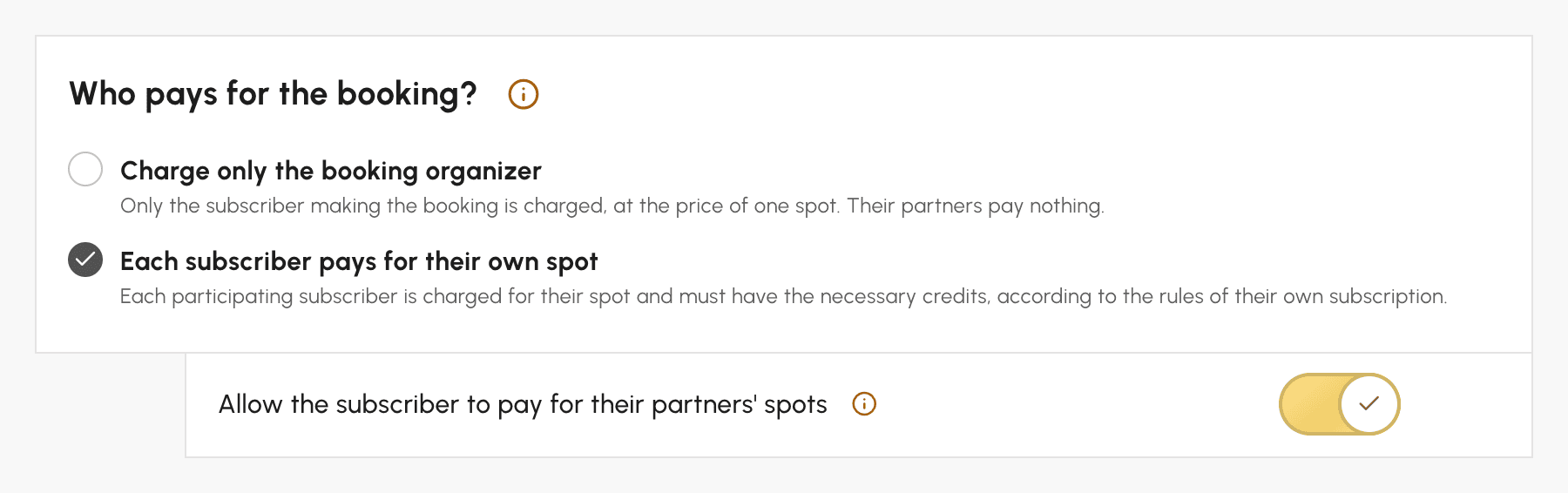
In subscriptions where each subscriber pays for their own spot, the option to pay for partners is already turned on: your subscribers can use it right away, and you can remove it subscription by subscription. In the Credits and Guest Passes tabs of each subscription, under Administration›Users›Access Rights›Subscriptions, the Who pays for the booking? block offers two choices:
The Guest Passes tab offers the same choices for guests, with the Allow the subscriber to pay for their partners' guest passes option.
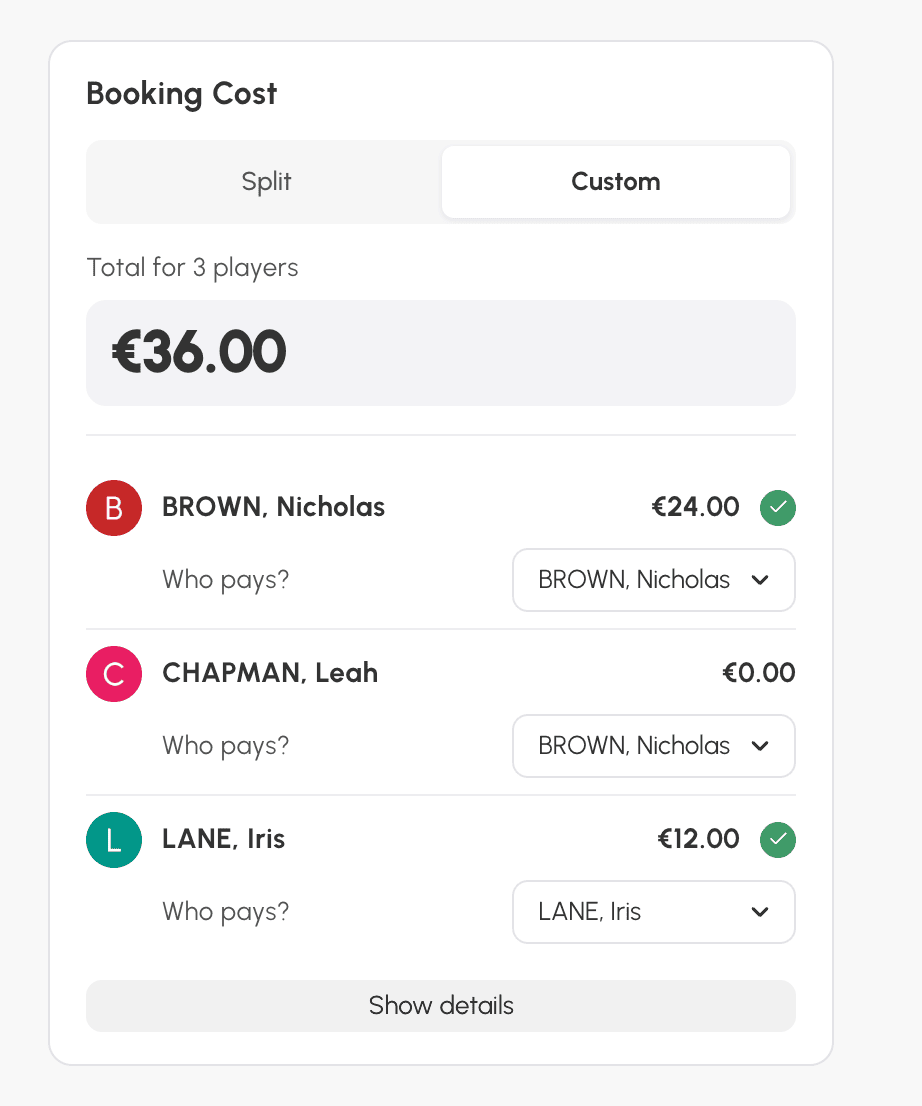
When you book for several players yourself, choose Custom in the cost box: a Who pays? list under each player lets you choose who pays, regardless of their subscriptions' options.
See the documentation: Share the cost of bookings between players.
Any questions about these settings? Our team is here to help.
The OpenResa team at your service!