The internal messaging system is getting a makeover. Here's an overview of the new features you'll discover in the Messages section of your personal space. To start, we've completely redesigned the interface. The messaging system is now integrated into the "My Account" menu with filters to help you navigate and actions to organize.
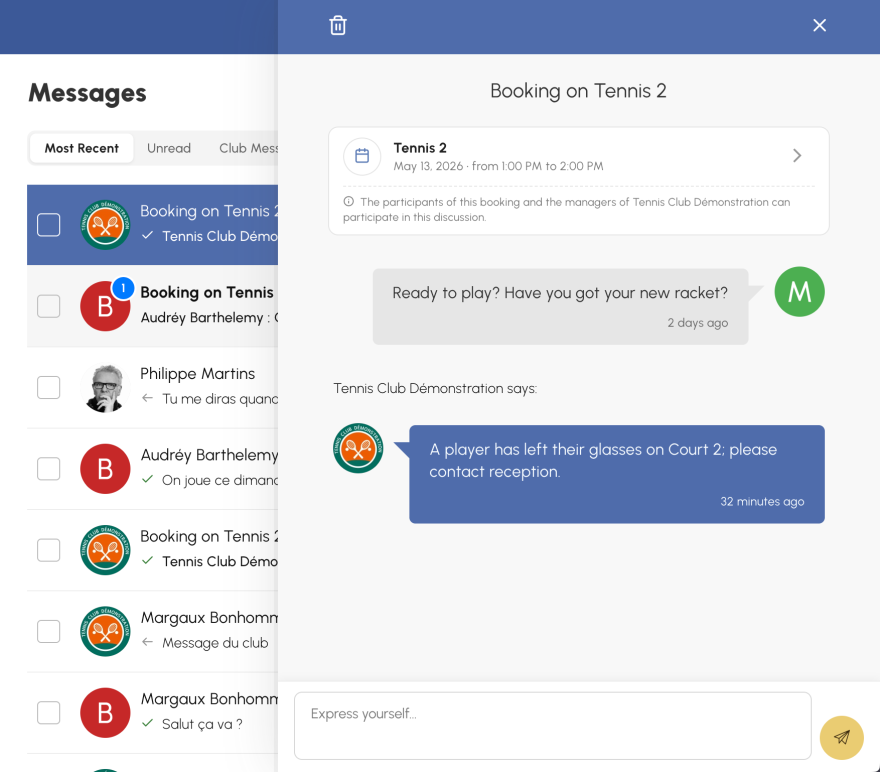
The inbox adopts the same style as the other modules in your space: a list on the left, a side panel that opens on the conversation, all without page reloads. You click, it slides, that's all.
Above the message list, three tabs allow you to filter your discussions: "Most Recent," "Unread," and "Club Messages" to easily find all communications sent by the club.
If you want to do a major cleanup, two dedicated buttons are always visible: "Mark All as Read" and "Archive All." You can also perform these actions on a selection of discussions using the checkboxes.
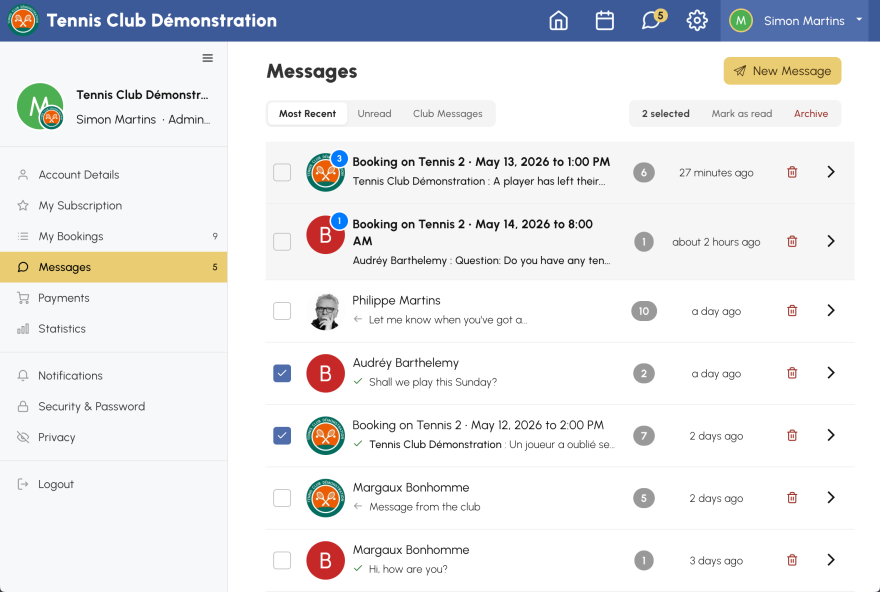
This is the most important new feature: each booking can now have its own discussion, open to all its participants. No more separate threads by interlocutor. All participants of a booking are in the same discussion, and the club managers can also participate to answer questions or share information.
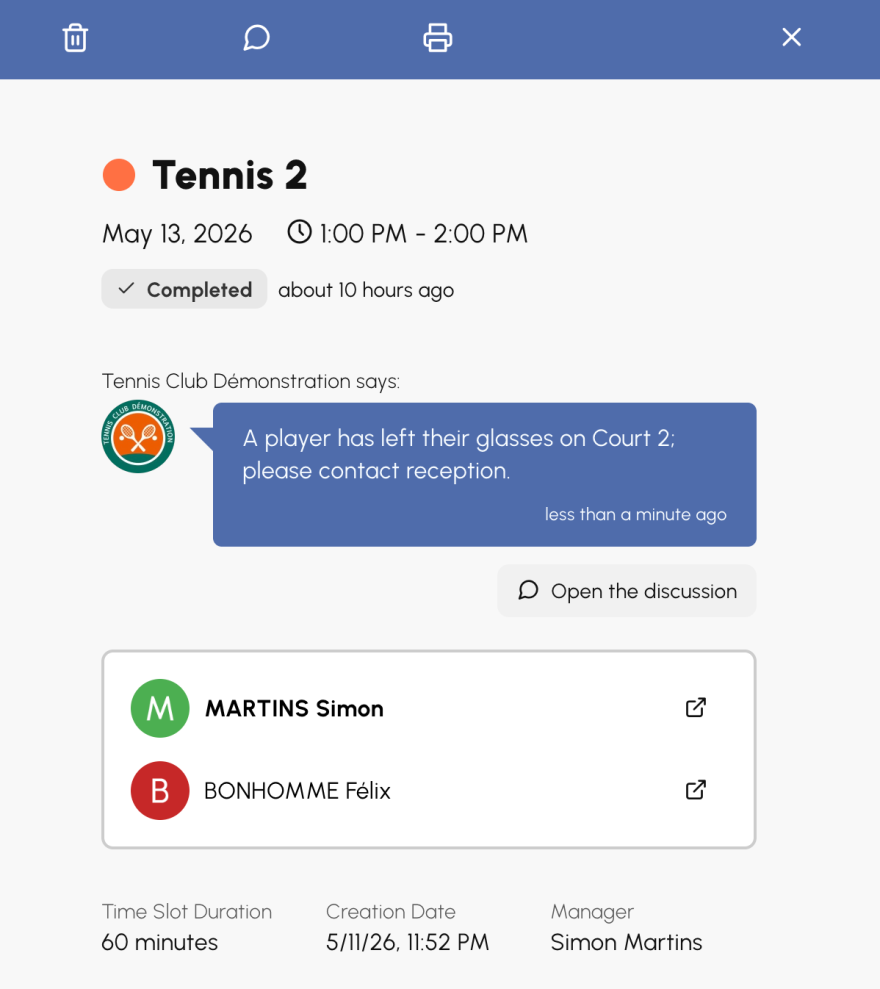
On the booking details, a dedicated button allows you to create or access the associated discussion. The latest message of the discussion appears as a preview above the list of participants.
The details of the booking associated with the discussion appear in the header of the discussion:
The OpenResa team at your service!