Your users must comply with the rules for using the courts, locker rooms, and quiet hours? Do you want everyone to be aware of the guidelines before their first booking — and after each update? We have added a new feature that will make your life easier: the management of the internal regulations with mandatory acceptance before booking.
Displaying regulations on a web page or sending them by email is good. But how can you be sure that each user has actually read them? How do you remind everyone when the regulations change?
With this new option, the platform takes care of it for you: no user can book a time slot without first explicitly accepting your internal regulations. And with each modification, acceptance is automatically requested again.
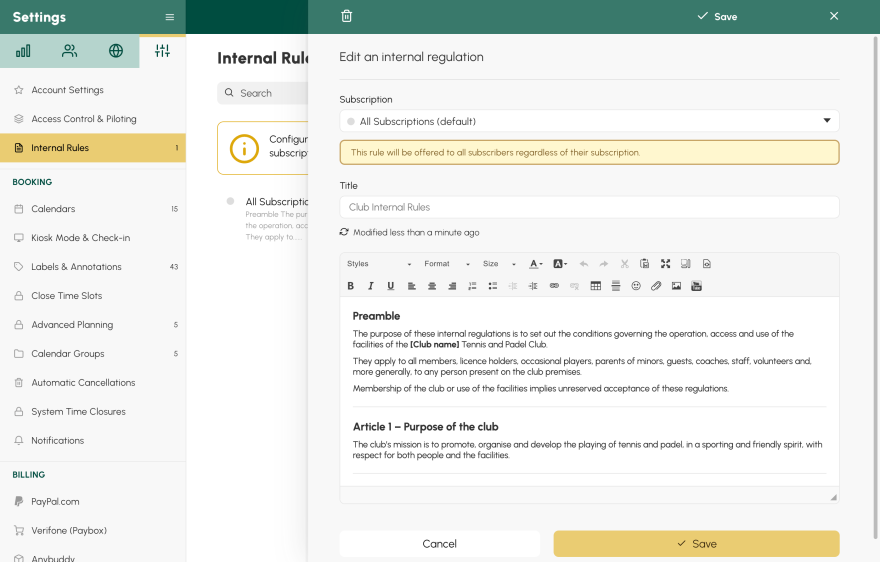
A common regulation or a regulation by subscription. Do you have a single regulation for everyone? Configure it in a few clicks. Do you have specific rules for juniors, leisure, competitors, rentals? Define a distinct regulation by subscription. Each user will receive only the one that applies to their profile.
An update = a new acceptance. As soon as you modify the content of a regulation, all concerned users will have to accept it again during their next booking. No more legal questions in case of a dispute: the acceptance date is timestamped for each user.
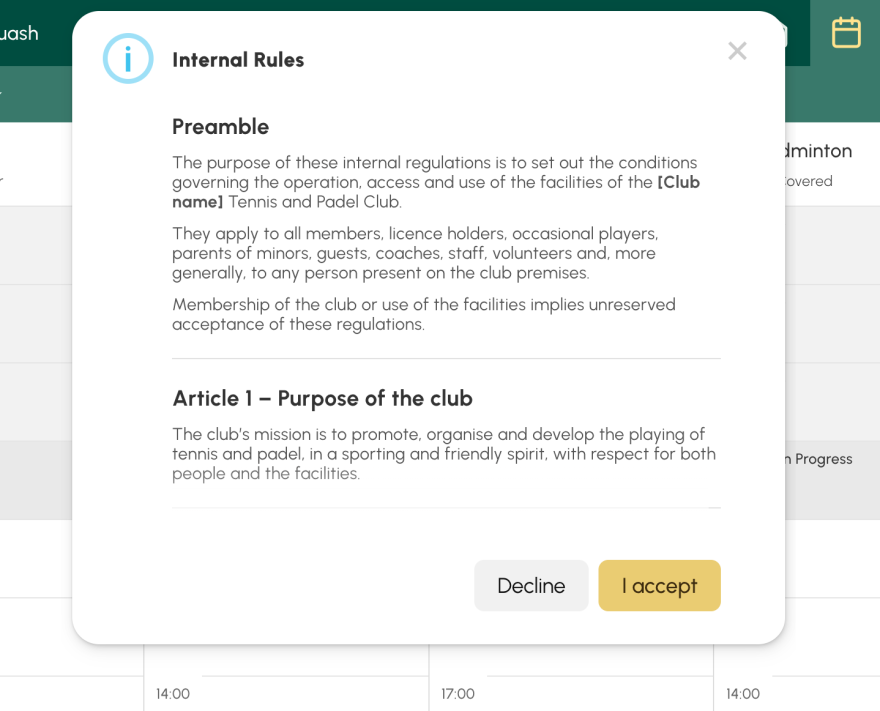
When a user clicks on a time slot to book, if an internal regulation is applicable and has not yet been accepted (or a new version has been published), a window appears with the full text. Two buttons: I accept to continue to the booking, or Decline to cancel. Simple, clear, without unnecessary friction.
Once accepted, the user will not have to validate it again until the regulation has been modified.
Go to Administration → Settings → Internal Rules.
The OpenResa team at your service!