Each product in your catalogue can now notify up to four people by e-mail every time it is sold: the person running the snack bar, the coach of a training camp or the supplier who prepares the order. The e-mail is sent as soon as the payment is confirmed.
Until now, only the billing account notifications reported a payment: one e-mail for each payment, whatever the product, with the invoice attached. You now choose, product by product, who should hear about a sale, including someone outside your organisation.
Open the product in Administration›Settings›Billing›Products & Services, then enable Email Notifications at the bottom of the form. Enter up to four addresses, one per line, then click Save.
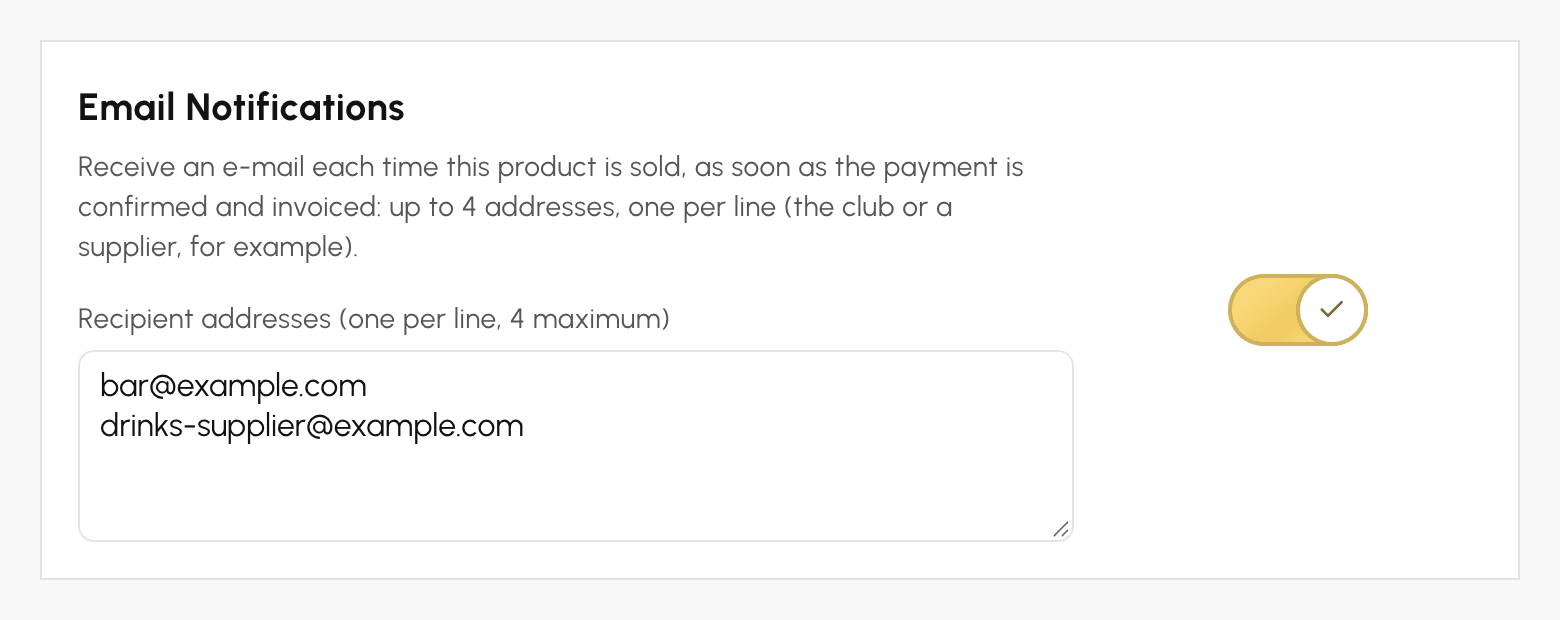
The e-mail is sent only once per order, when the payment is confirmed and the invoice is issued: online payment, sale at the cash register or payment recorded by an administrator. For payment in instalments, it is sent with the first instalment.
It shows the product sold, the quantity, the amount, the invoice reference, the payment date and the buyer's contact details. It contains no attachment, no link to your administration area and none of the other items in the order: a supplier only sees what concerns them.
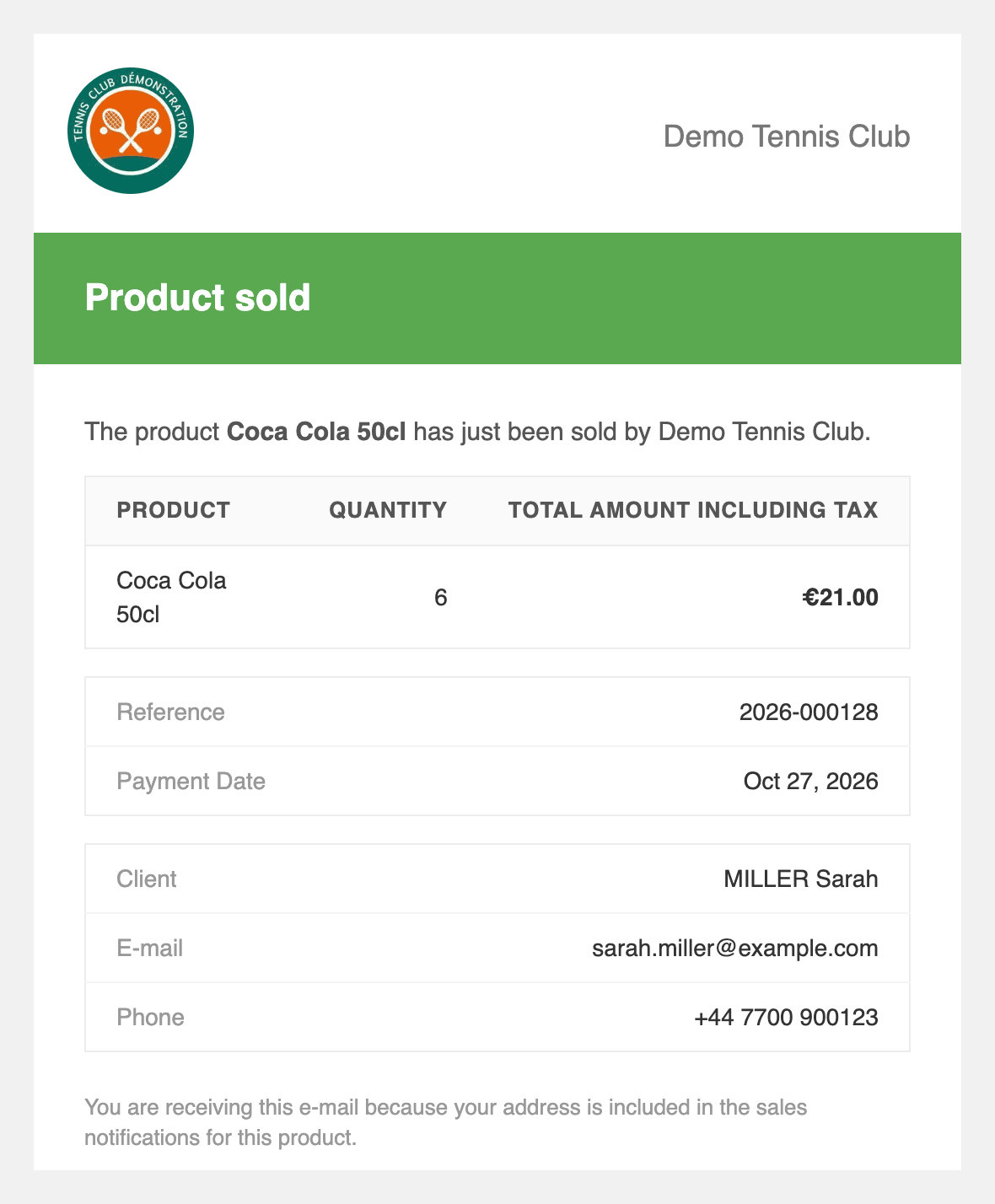
The e-mail passes on the buyer's name, e-mail address and phone number: only send it to people who need them to process the sale.
Any questions? Our team is here to help.
The OpenResa team at your service!